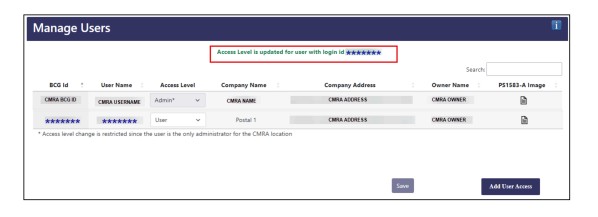
Adding iPostal1 will allow us to upload customers into the BCG on your behalf, saving you time. A small fee is charged for each customer that uploaded successfully is charged from your monthly commissions.
To add iPostal1 as a user in your BCG account:
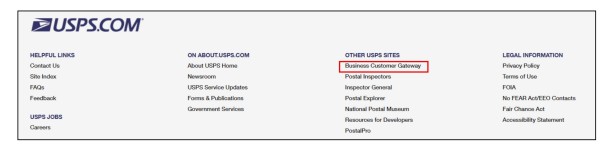
1. Go to USPS.com, head to the very bottom if the page and click "Business Customer Gateway" button under "Other USPS Sites".
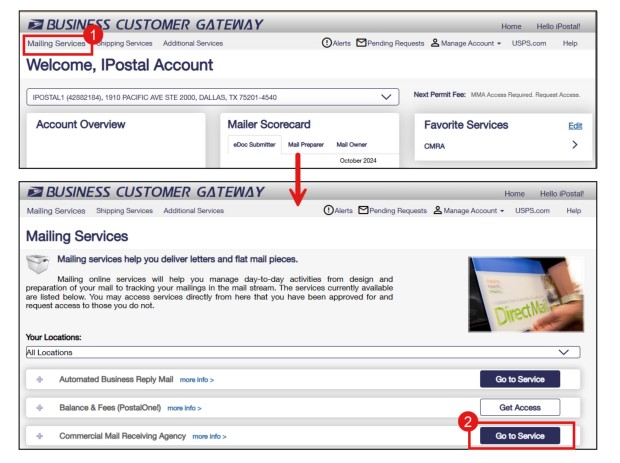
 2. Log into the BCG and head over to the CMRA section. Click on "Mailing Services" and "Go to Service" to continue.
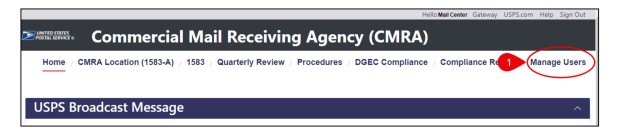
3. Click on "Manage Users" button to continue.
Note: Manage Users will not appear if you don't have Admin Access for a location on the BCG.
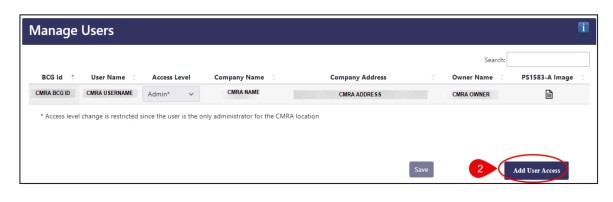
 4. Click "Add User Access" to continue.
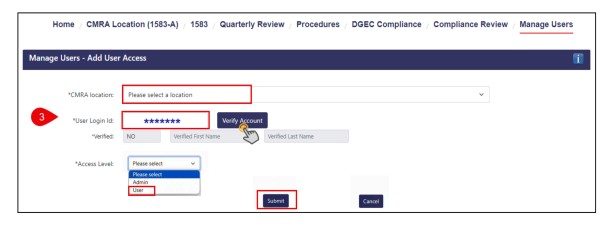
 5. Select the CMRA location that you'd like to grant user access to:
- Enter the "User Login ID" provided by iPostal1 and click "Verify Account". The user login ID is located in your dashboard by clicking on the red banner.
- Select access level "User" and click "Submit". (Do not add Admin Access)
*For partners with multiple locations, please repeat for each address.
6. Conformation the user has been added to your account will appear on the top of the screen.