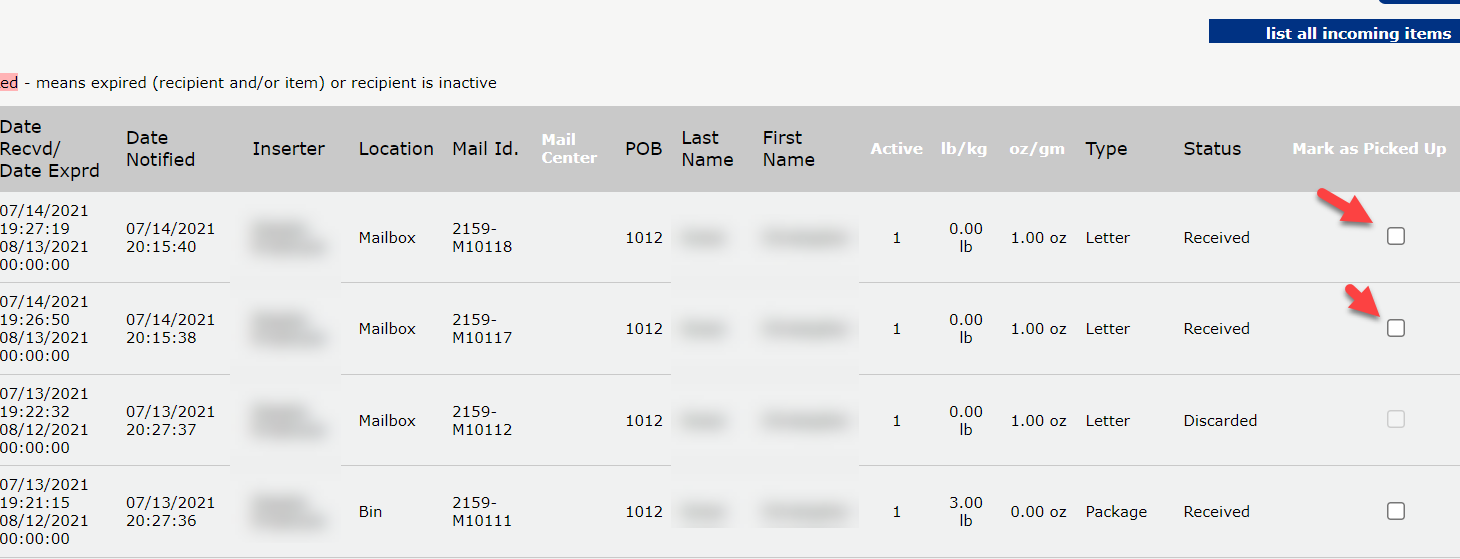
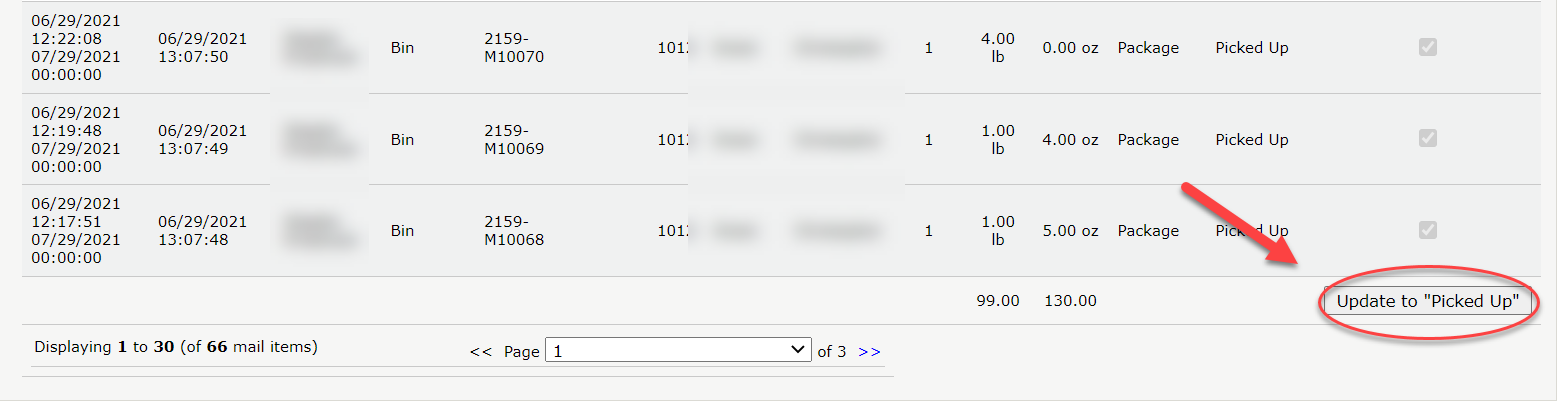
Marking a mail item as picked up manually is usually done as a courtesy. The customer will not be charged for the pickup as they would when you process a task.
It is imperative that all mail items be properly marked out of the system to avoid improper storage charges and track mail chain of custody. This is done by properly creating and processing a pickup in the USZoom utility app.
Note: You may find that some customers don’t pick up their mail and instead opt to pay storage fees. This is perfectly fine and is easy revenue.
To mark items as picked up:
1. Search the recipient and click on their account name.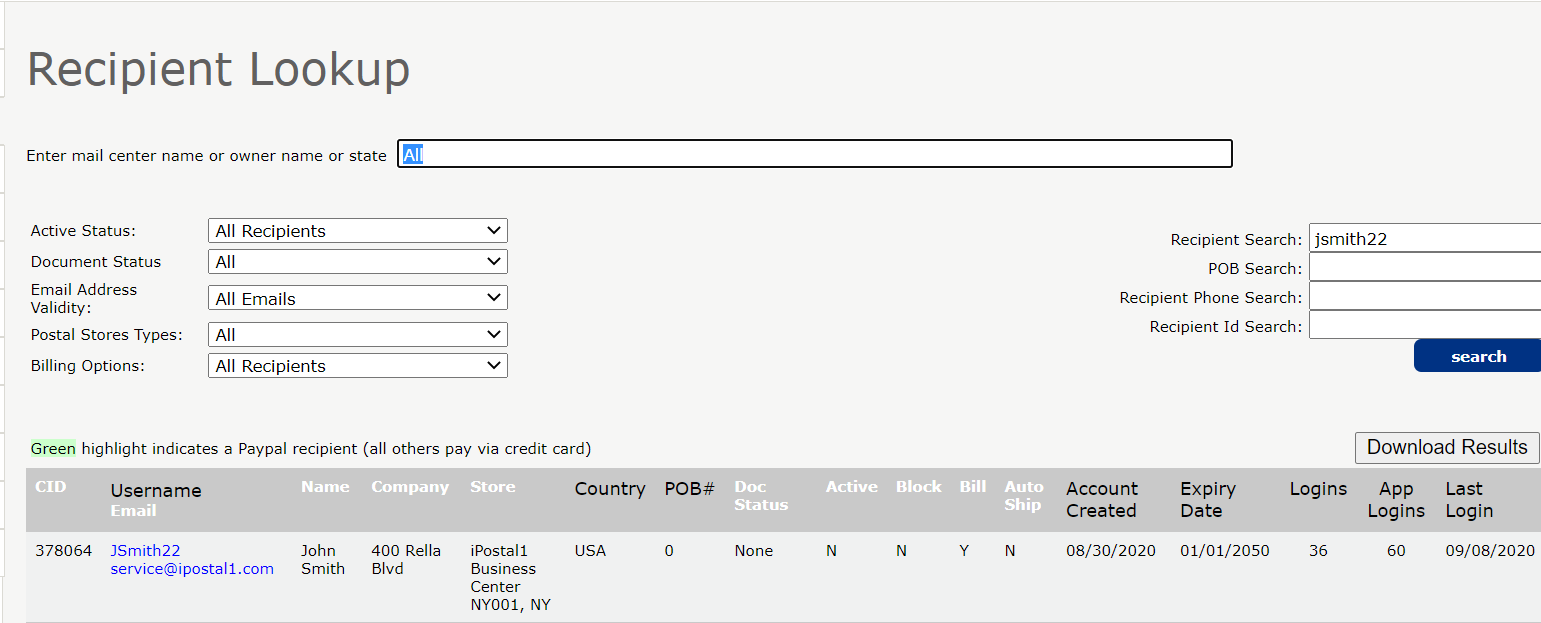 2. Under History, click on "Mark Items as Picked Up".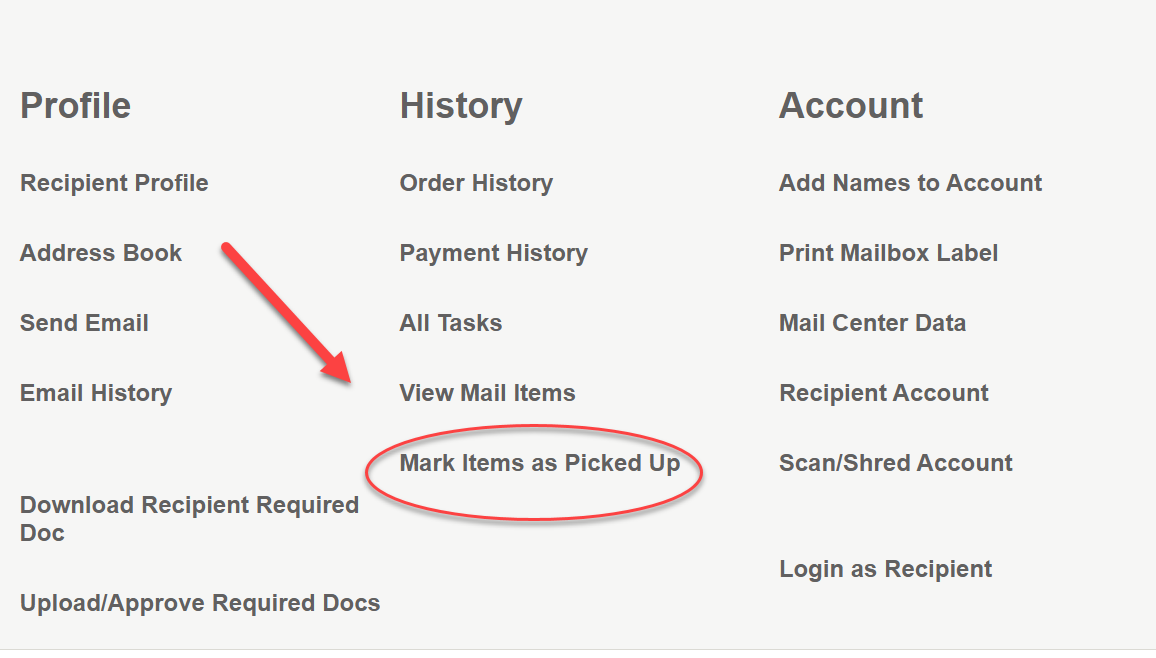
3. Select items and click "Update to Picked Up" at the bottom right of the screen.