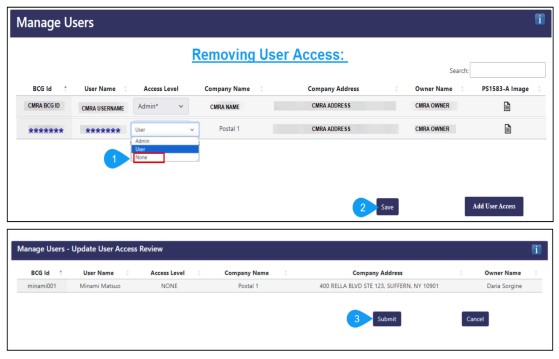
To remove user access:
1. Go to "Manage Users".
2. Change the access level from "User" to "None" and click "Save".
3. On the following page, click "Submit" and the user will lose access immediately.
Note: Removing iPostal1 as a user will immediately discontinue your participation in the BCG Support Program. We will no longer be able to upload customers on your behalf.