
The USZoom Utility App is used in conjunction with the admin portal dashboard. You will use the app daily to insert mail and process tasks. We recommend checking it at least once a day to stay on top of new task requests, pickups, deliveries etc.
At the top of the App Dashboard, you’ll find a convenient navigation bar to easily access your app settings, chat assistance and partner support portal. Just below you'll find 5 tiles packed with useful information to help you manage iPostal1 customers effortlessly.
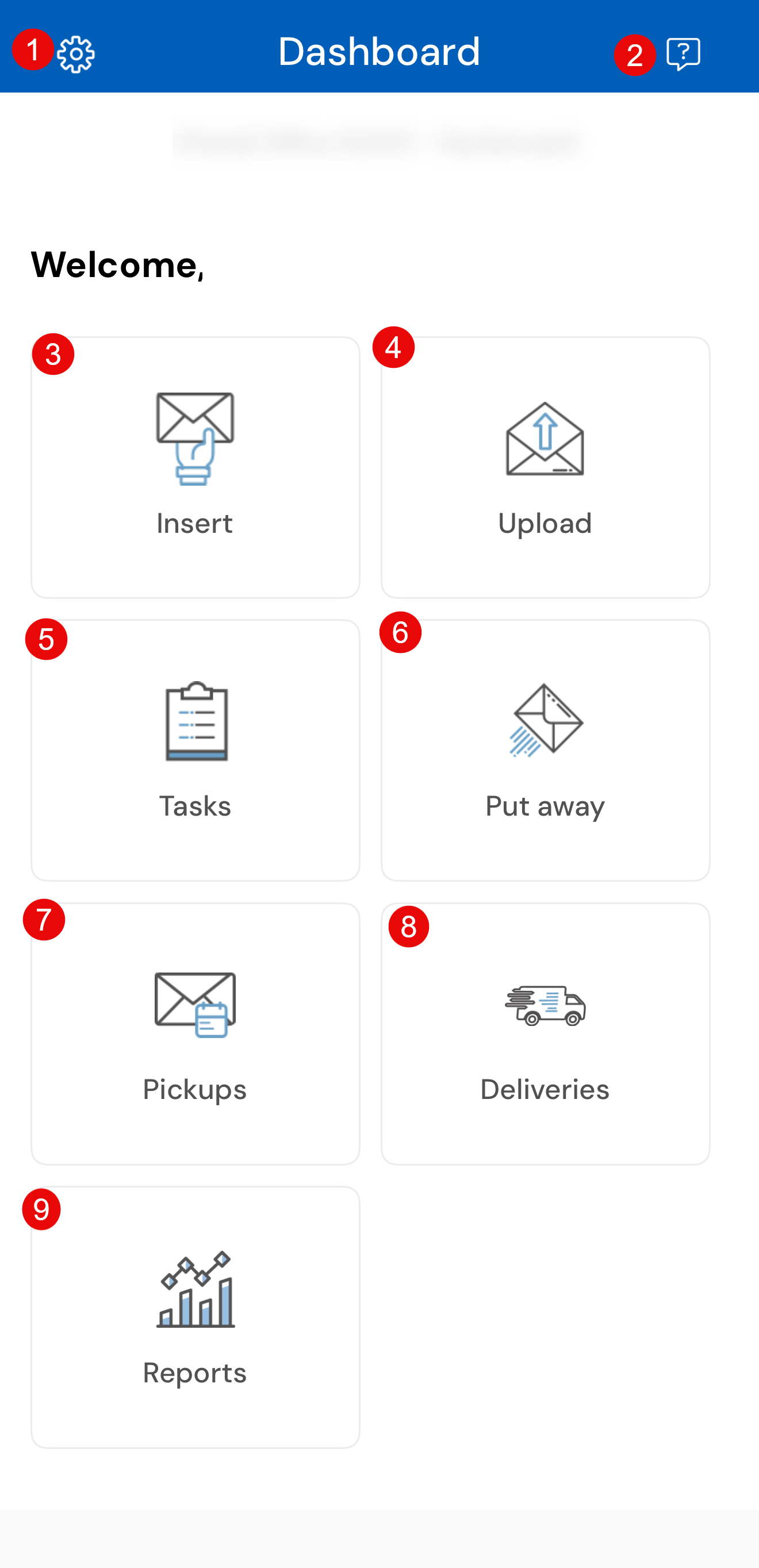
1. Settings - Manage your app settings and quickly access helpful tools such as videos, guides and FAQ's, Change your password, change the app language, Chat Support, Partner Support Portal and contact us.
2. Chat - Need assistance, we are here to help! Quickly access our Partner Support team chat and an agent is happy to assist you.
3. Insert - Use this tile to Insert mail daily.
4. Upload - Upload images of the outside of the mail items and the images will appear in your dashboard, under "Insert Mail", "Pending".
5. Tasks - Find all your tasks that need to be processed for the day.
6. Put away - Put away mail to a specific storage location.
7. Pickups - All pickup tasks can be found under this tile. Create a pickup here if one is not already scheduled by the customer.
8. Deliveries - View Personal Deliveries task and quickly process at the time the driver arrives.
9. Reports - View recipient account details and Mail item details.