
Our system tracks the daily and monthly counts of all mail inserted. Mail should be entered into the system each day as it is received.
- Insertion- Inserted Mail is automatically tallied up for the day and month. Pending Mail will need to be manually assigned to the customer. The mail item will stay in this status until it is inserted to the customer's mailbox.
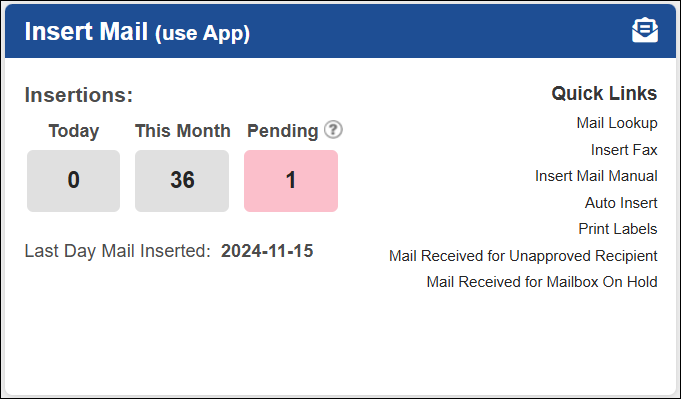
- Mail Lookup- You can view the image of a mail item or make changes as needed.
- Insert Fax- If you receive a fax for a customer, you can upload it using this link.
- Insert Mail Manual- This link is for emergency mail insertion only. For regular use, the USZoom Utility App is the recommended and easiest option.
- Auto Insert- The Auto-Insert feature automatically processes mail for you and is typically used at locations with a high mail volume.
- Print Labels- This link is used to print labels and is designed to work specifically with the Auto-Insert feature.
- Mail Received for Unapproved Recipient- You can locate customers who are pending or not yet approved and automatically notify them when mail is received.
- Mail Received for Mailbox On Hold- You can notify a customer with an account on hold that their mail has been received and will be returned to the sender.