
The Admin Portal Dashboard is your go-to hub for everything you need daily! We recommend checking it at least once a day to stay on top of new task requests, pickups, and customer approvals.
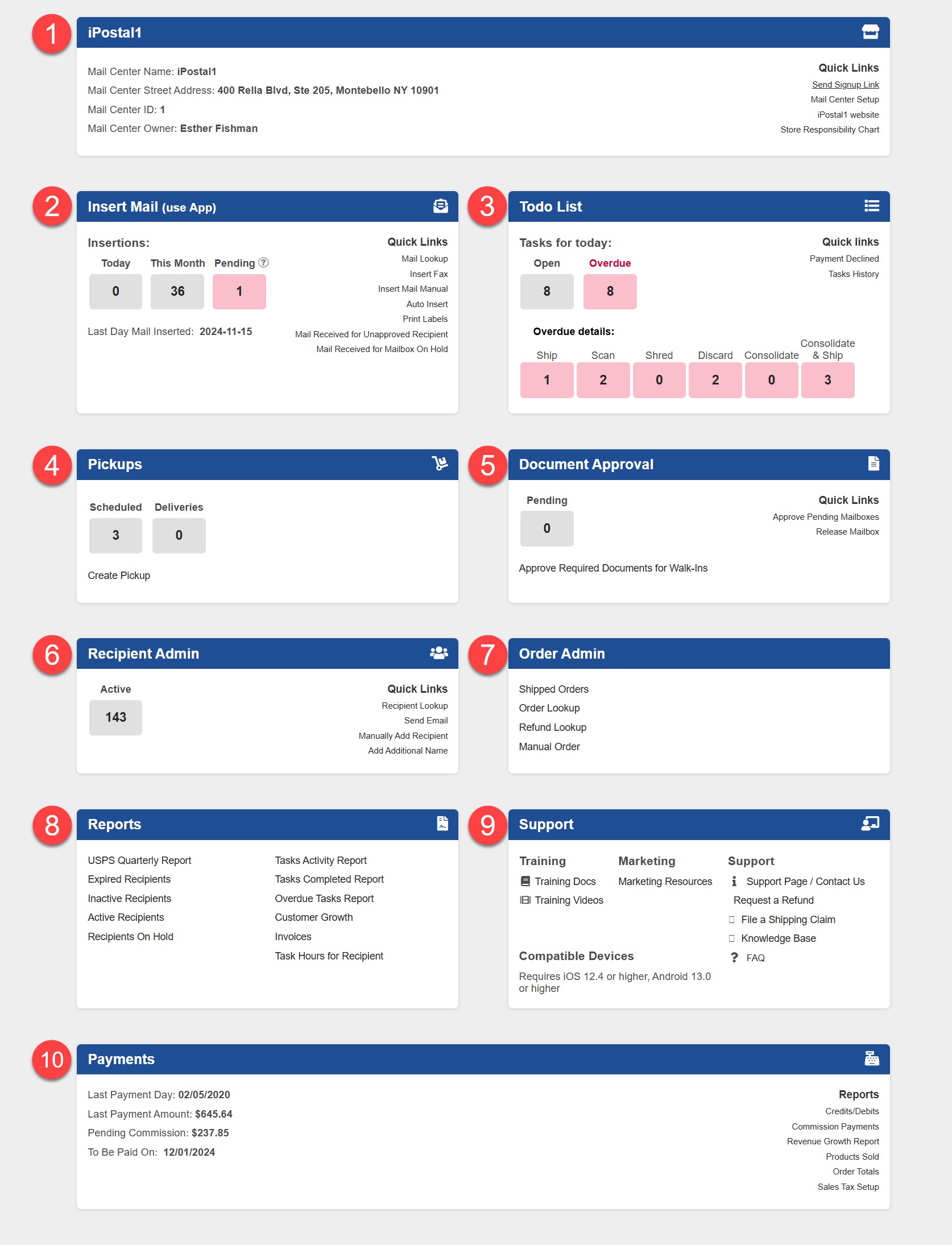
At the top, you’ll find a convenient navigation bar, and below, 10 dynamic tiles packed with vital info to help you manage iPostal1 customers effortlessly. Need quick access? Look no further than the "Quick Links" section on the right of each tile for our most-used tools!
Top Tool Bar

1. Dashboard - Takes you back to the Dashboard
2. Your Role - Your level of access
3. Support - Access our support options
4. My Account - View your profile
5. Logoff - Logs you out
Tiles
|  |