
Our system will usually generate a label for all Shipping and Consolidate and Ship task. You will find the label printing options at the end of the shipping task. It is important to note that our system will not generate a label for all single letter rate tasks and Consolidation only tasks. The option to print a label will appear in the last step of processing the shipping task.
Note: We do not allow customers to provide their own personal label to ship a mail item. The customer must create the task and a selection must be made from the shipping options provided by our system.
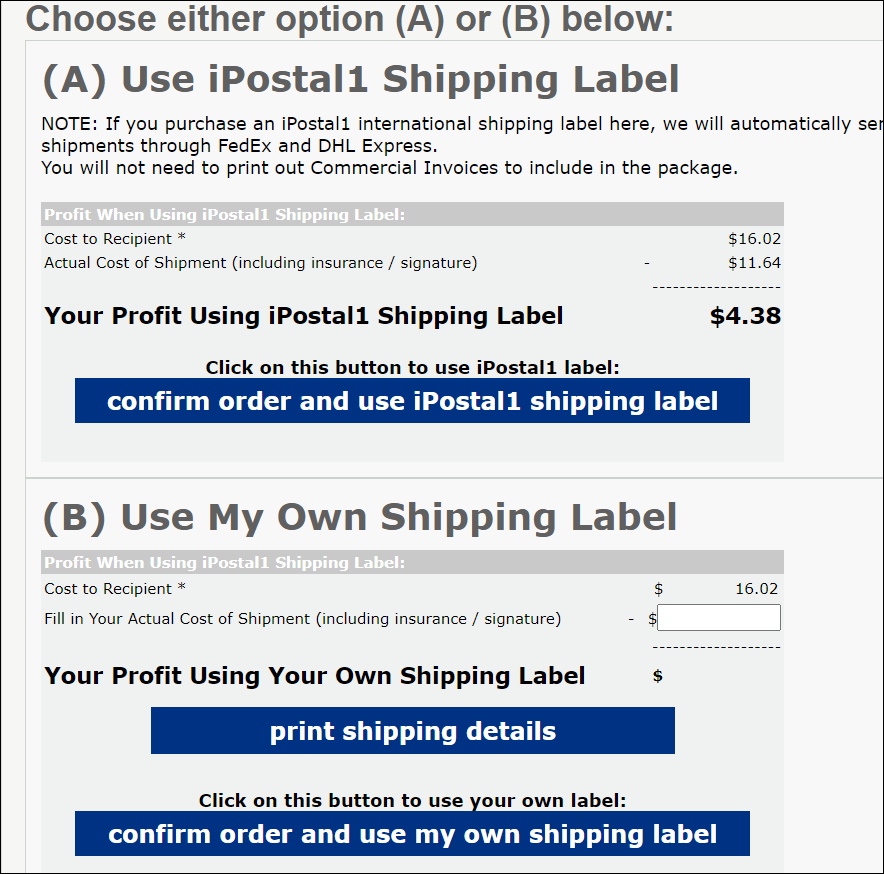
Label printing options when processing a shipping task in the Admin Portal Dashboard:
A. Processing the shipment using the iPostal1, using the iPostal1 account.
B. Processing the shipment using your own label, using your postal account.
Printing label from the USZoom Utility App:
You will have the option to print the label from the App or you can have the label emailed to your email. Please ensure that the setting to email a label is activated in the App.
- Login to the USZoom Utility App, click on the Settings icon at the top right.
- Click on "Location Settings".
- Toggle On "Email shipping labels to: (your email)".