If a new employee will be using our system, we recommend they use their own login. You can simply add, remove or edit an employees login information, directly from your Dashboard. To access this function, you must have an owner account or mail center admin access level.
Note:
- We highly recommend that owners do not share their login credentials with employees for your own security and privacy of financial information
- If you do not have access to these logins and need to add an employee, you can contact the owner or iPostal1 support to assist.
- Our guides and videos are very helpful in training the new employee on how to use our system.
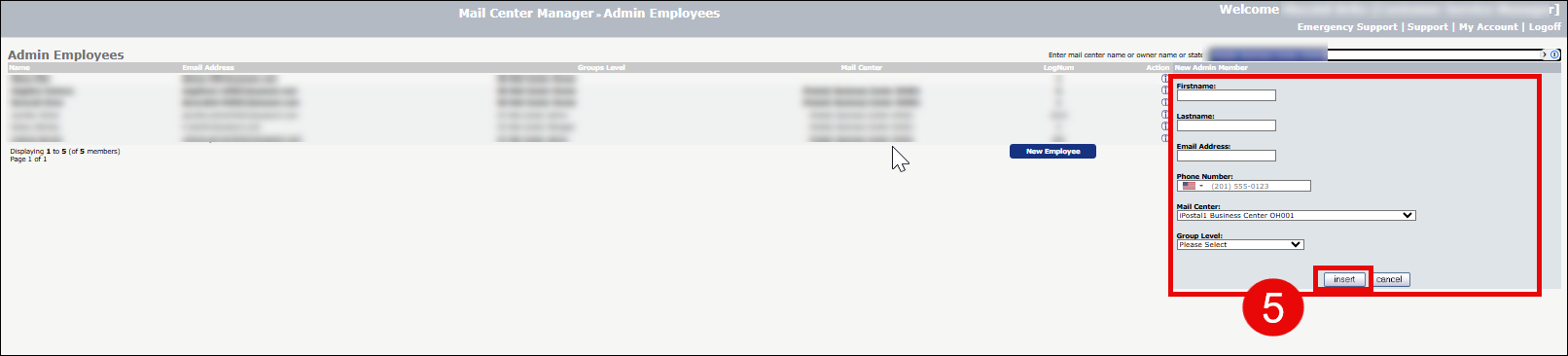
To add an employee at your location to the iPostal1 system:
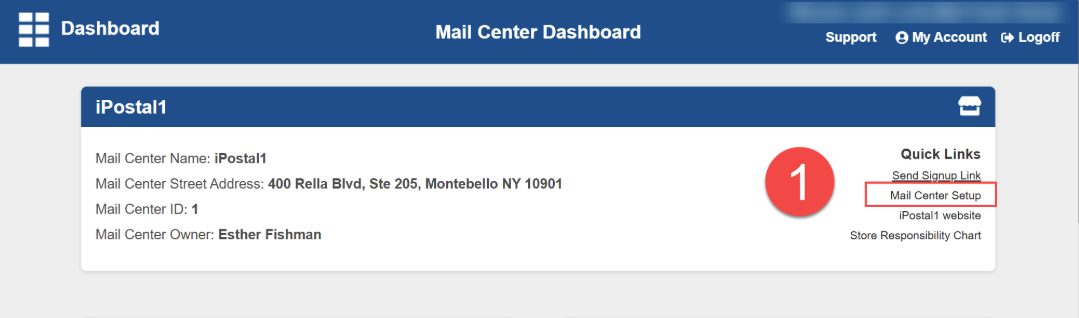
1. On the dashboard select "Mail Center Setup" located in the top right tile, under "Quick links".
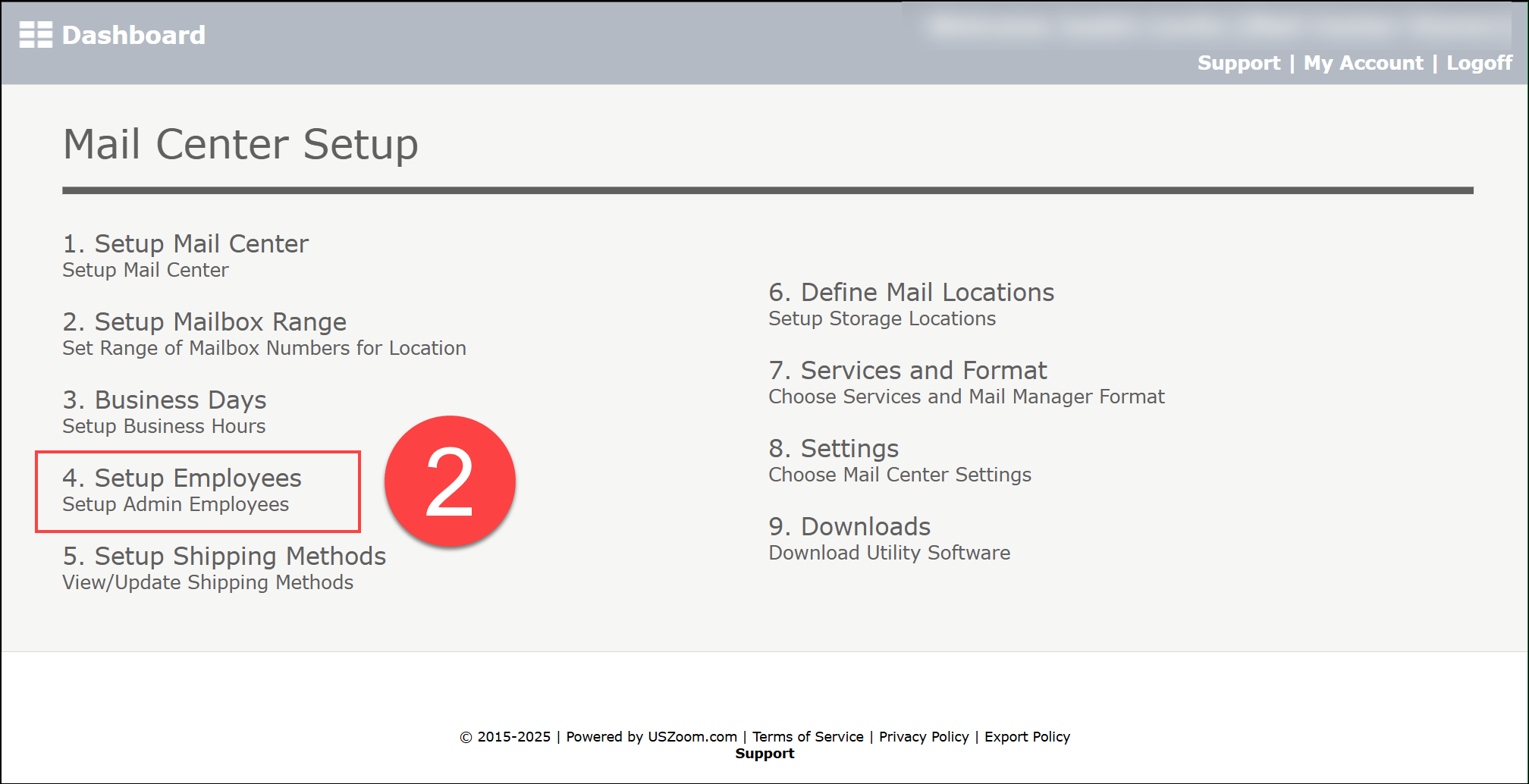
2. Click on number 4, "Setup Employees".
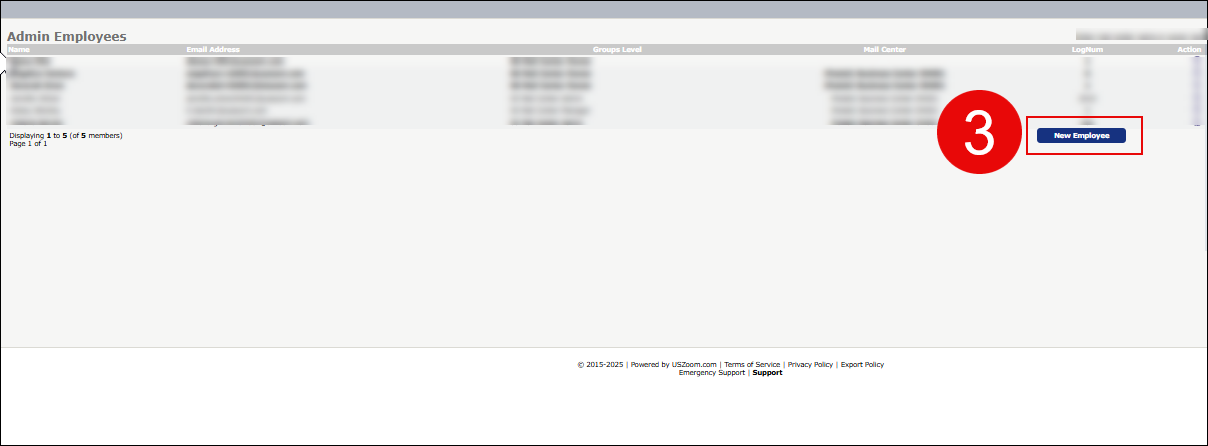
3. Click "New Employee" and enter the employee name and email they will use to login. The email can be a personal email that has not been used in our system before.
4. Choose their access level based on their responsibilities. If the employee is handling mail daily, we recommend a level 4 and above. This will determine what they can do and what information they will be able to see.
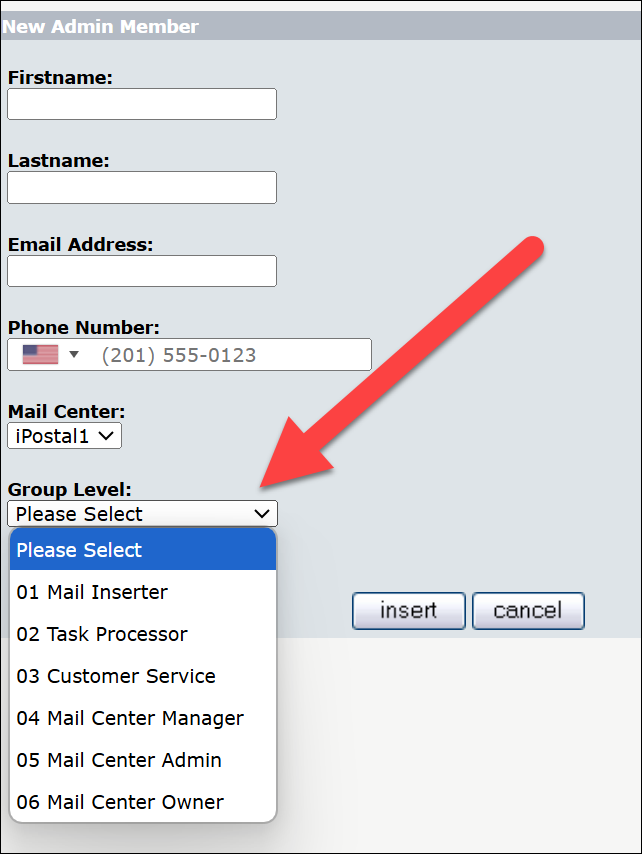
5. Click "Insert" to add the employee.