
Changing your pick up pricing can easily be done directly from your dashboard. When changing your price, it is important to notify all customer of the change. We recommend sending an email to all recipients, when any change is made.
Note:
- Mail pickup price - The customer is charged for ALL letters and large envelopes, when picked up all at once in the same visit. The customer is charged one time, when the mail item is picked up. Example: 10 letters = $1.00.
- Packages are charged per individual package.
To update your pickup pricing:
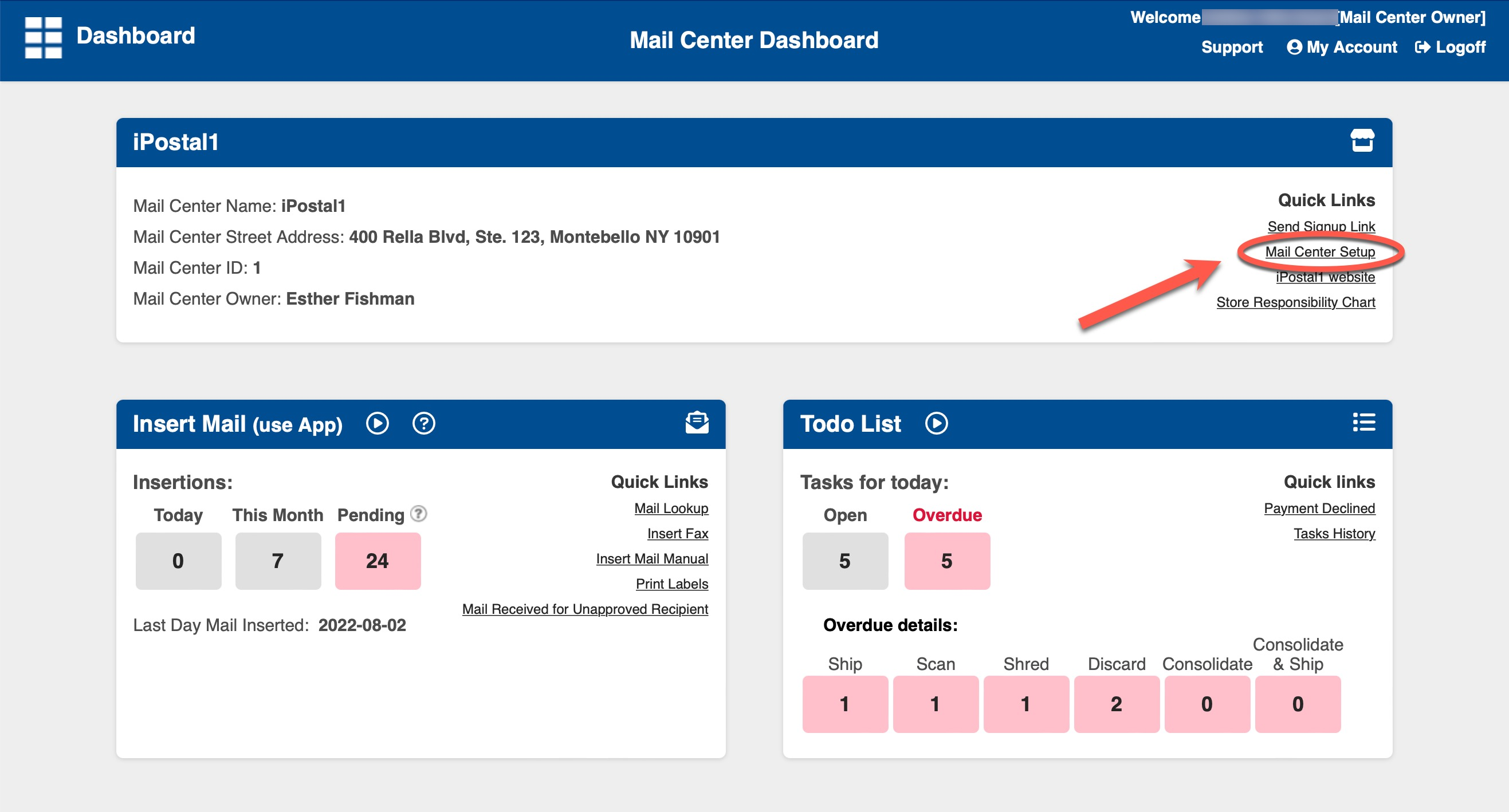
1. Click on "Mail Center Setup" button located under "Quick Links" on the top right of your Dashboard.
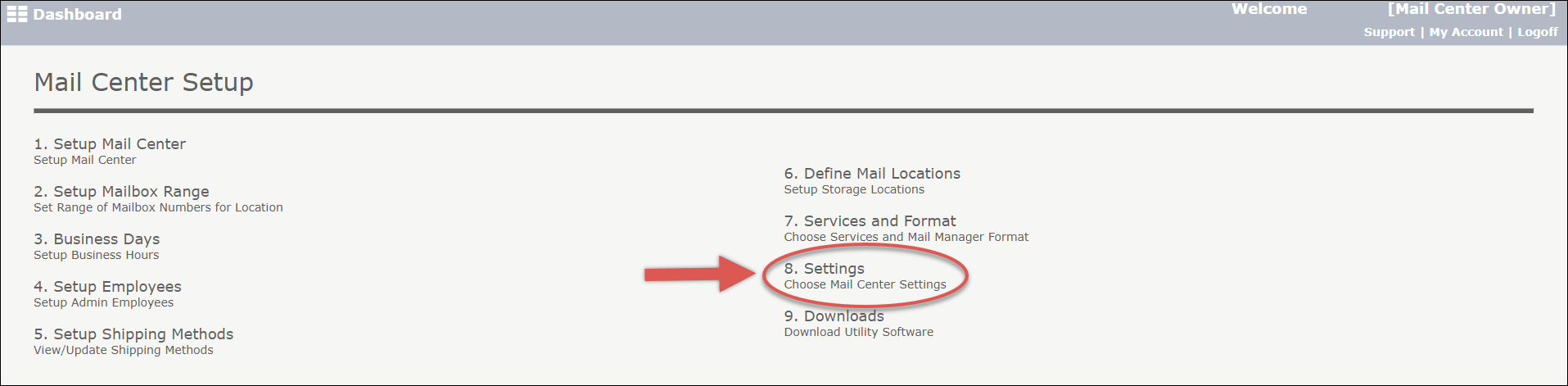
2. Click on "8. Settings".
3. Scroll down to "Pick Up Pricing".
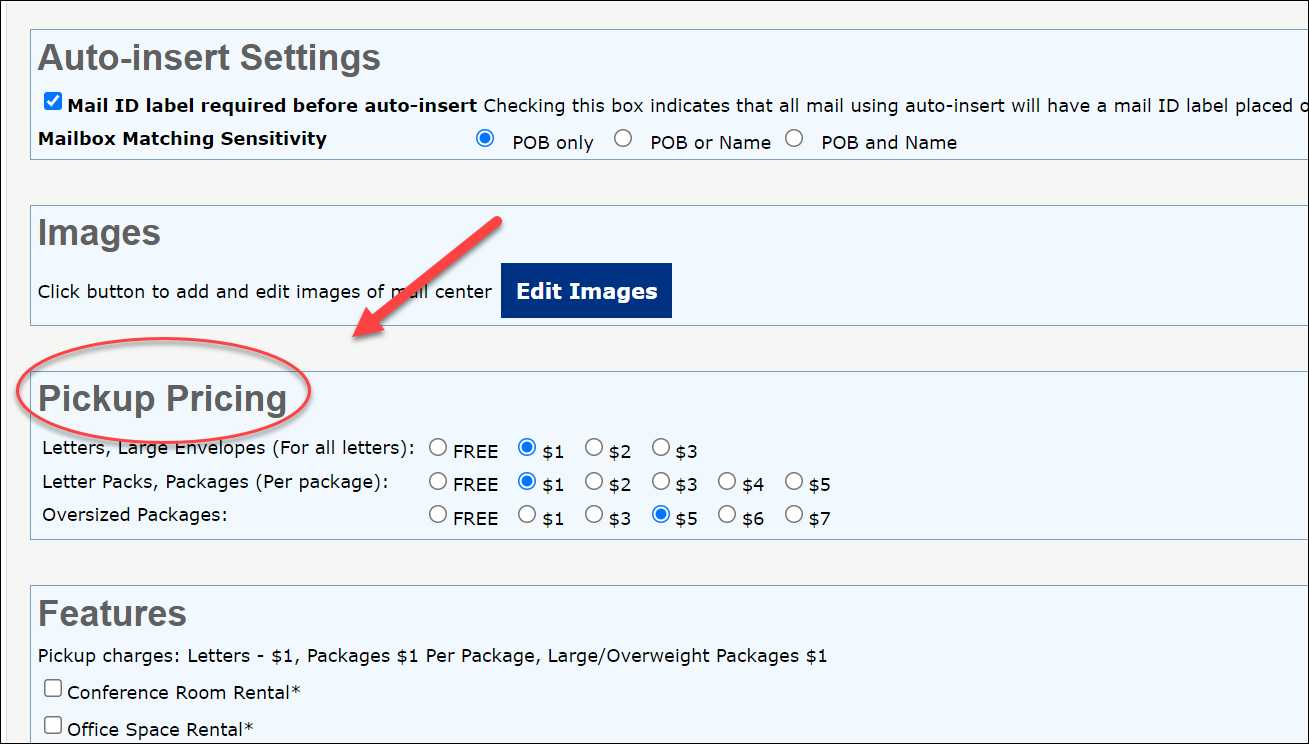
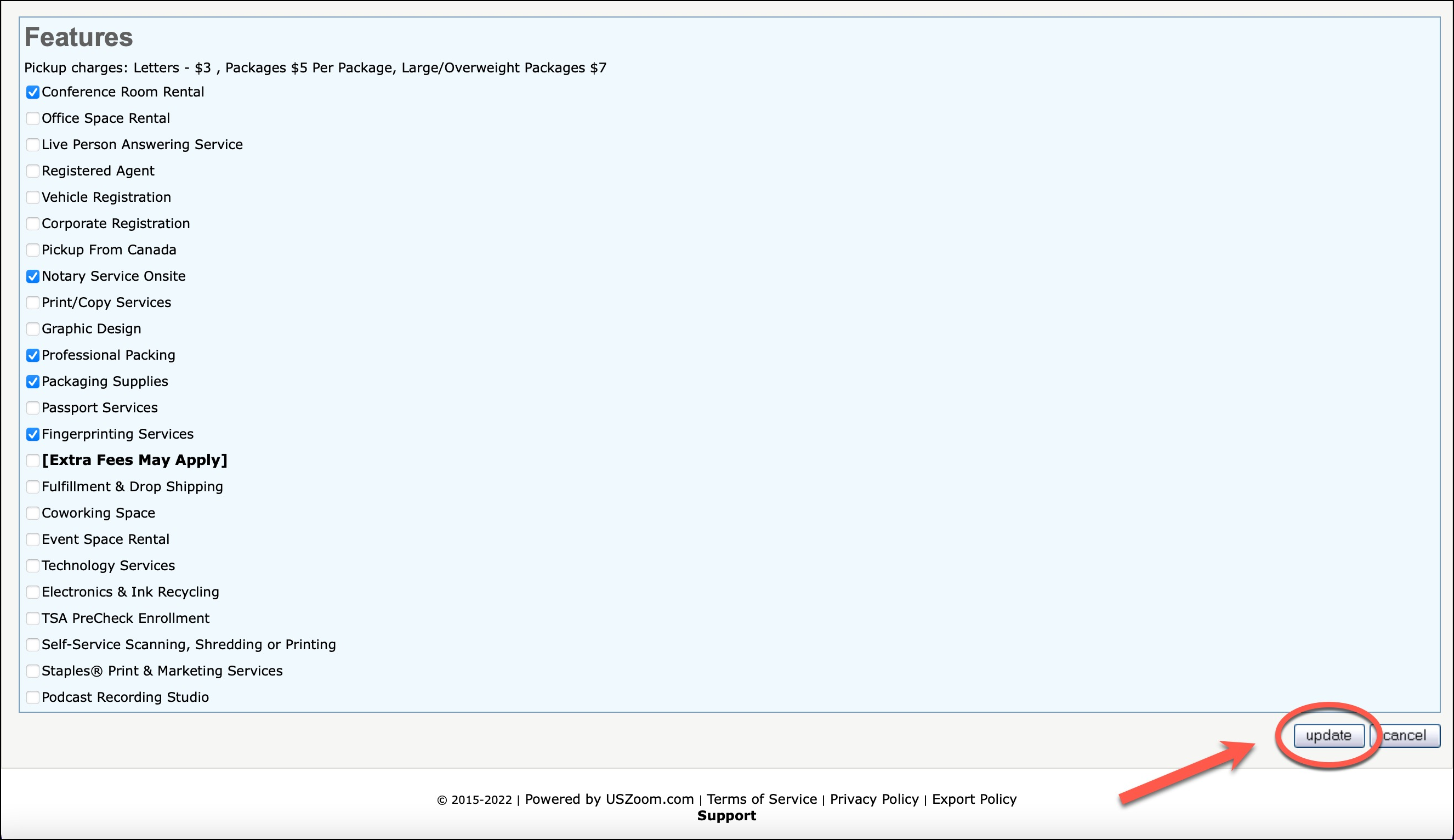
4. Select your new pricing and click "Save".
5. Send a bulk email to all customers: "Send Email" from the "Recipient Admin" section of the dashboard, and choose the first option "All Recipient" instead of one account.