To access this function, you must have an owner account login. If you do not have access to the owner login and need to add an employee you can contact your mail centers owner or iPostal1 support to assist.
Note:
- Mail center owners information cannot be edited or removed, please contact support for assistance with this.
- Mail center owners should not share their login credentials with employees for your own security and privacy of financial information.
- Mail center owner should remove employees no longer with your company.
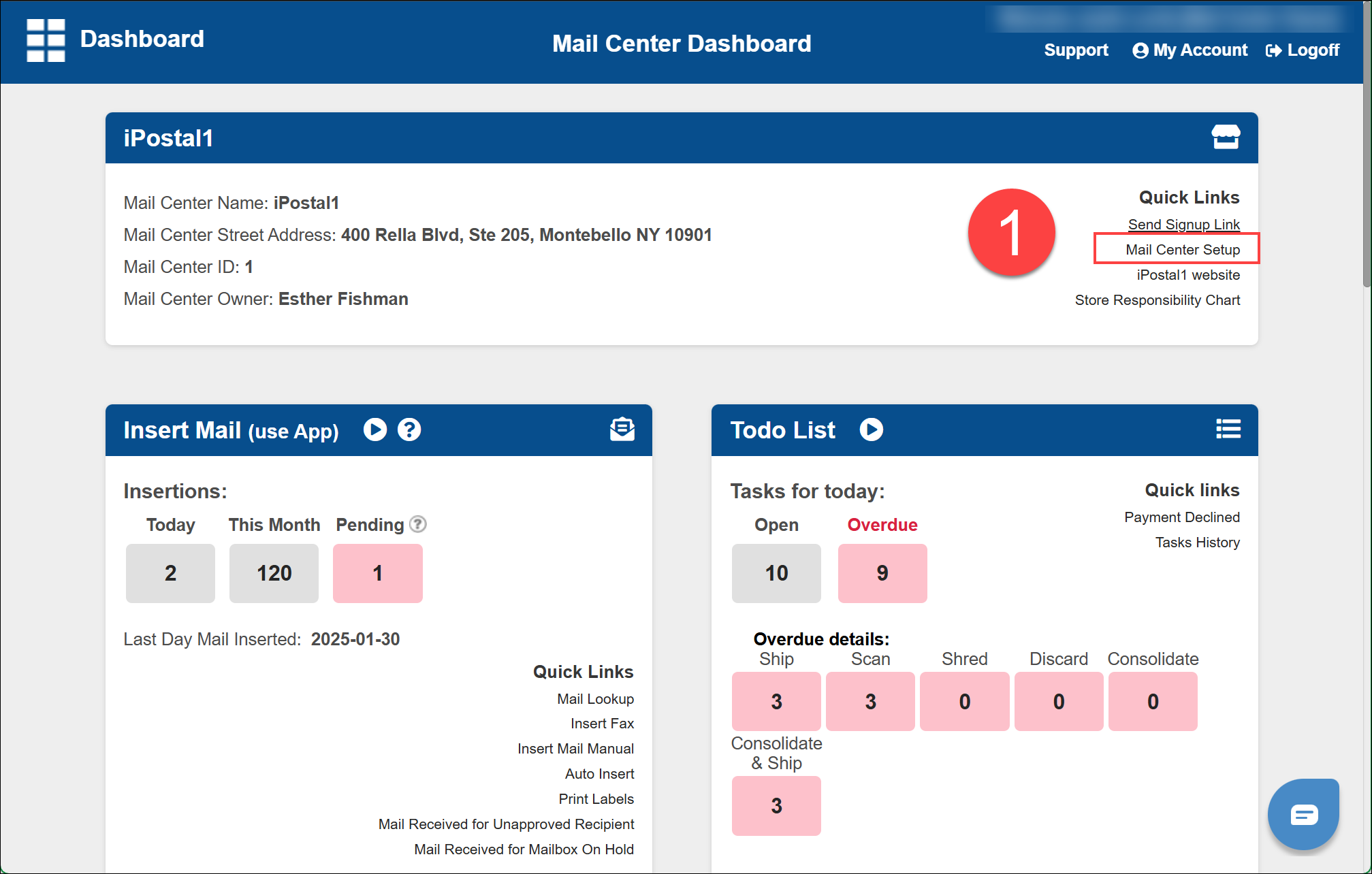
1. n the dashboard select "Mail Center Setup", located at the top right tile, under "Quick Links".
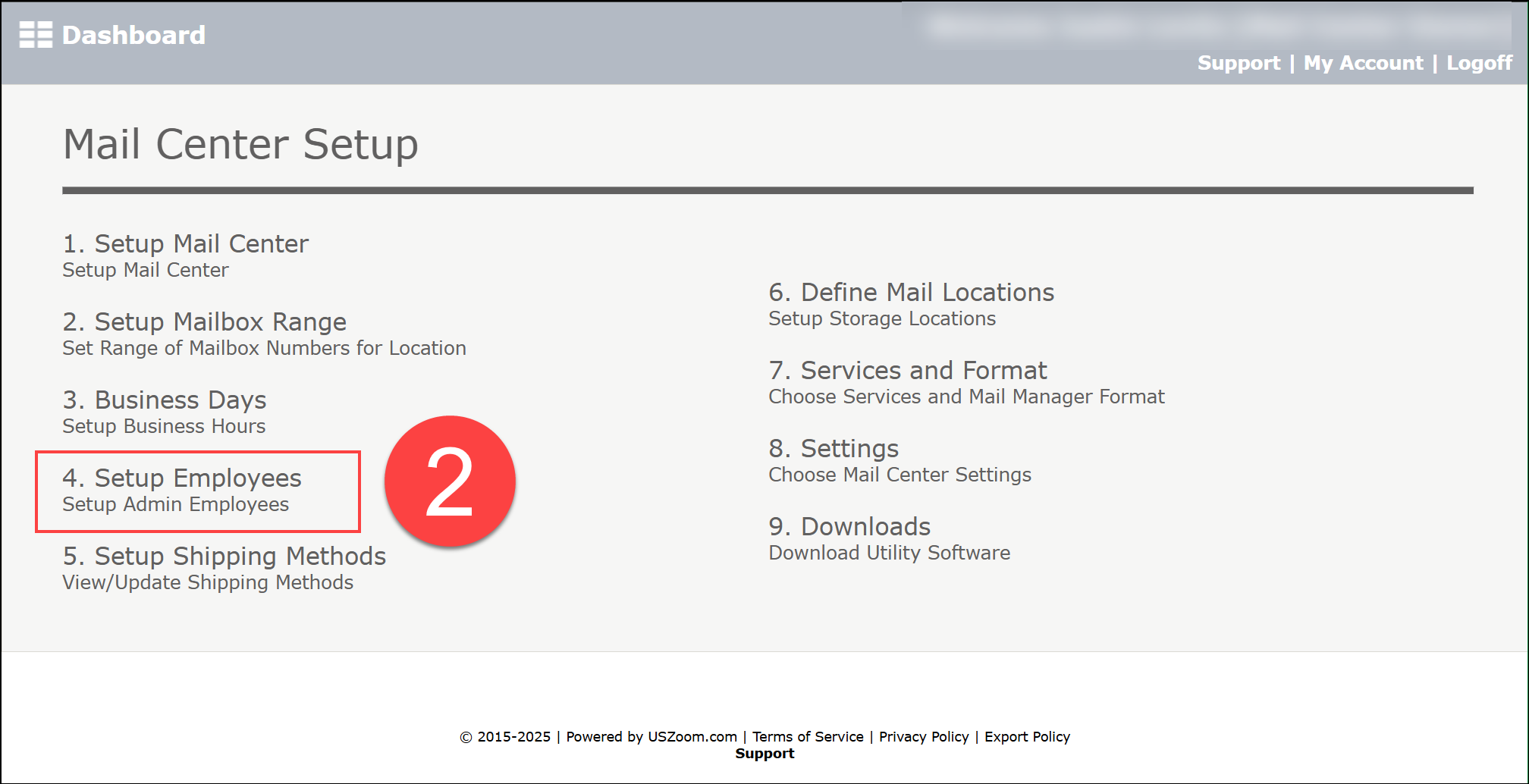
2. Select the employee you would like to edit or remove.
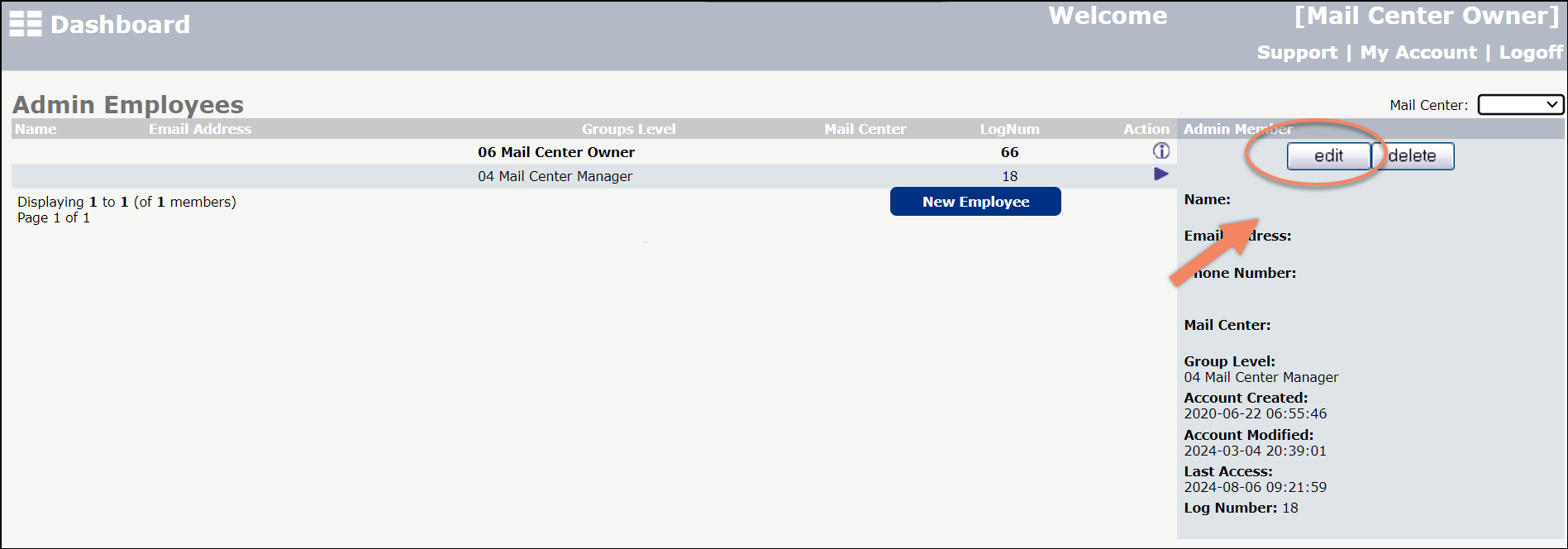
3. On the right side, click "Edit" to change any information. Click "Update" confirm your selection.
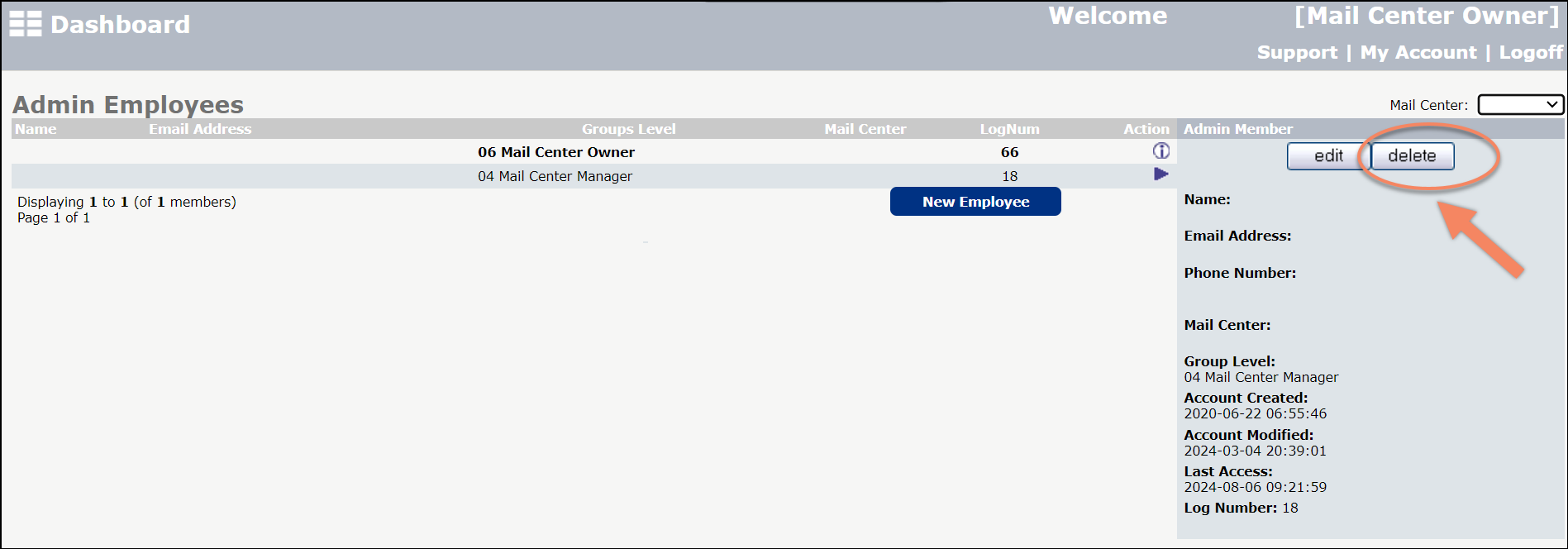
- To remove an employee, click "Delete" and confirm your selection.