Customer request to close their account:
Customers can close their account at any time by logging into their iPostal1 Mailbox. Before the customer can cancel their account, all mail must be cleared from their inbox or the customer can contact customer support to cancel their account.
- To reopen an account that is inactive or closed for less than 90 days, the customer will need to login to their account, update their payment method and pay any outstanding balance.
- If the account is closed for over 90 days, the customer will have to sign up again as a new customer.
- Customers can also contact customer support via chat, phone or email to cancel their account if needed.
Closing an account at your request/ breach of contract:
You can close a mailbox for any of the reasons listed in the Terms of Service for mail centers. A valid reason must be provided to close a customer's account. In order to finalize the agreement, an email must be sent through the iPostal1 Customer Portal letting the customer know that they cannot continue to use their iPostal1 Mailbox at your address. We expect a written and reasonable explanation for the need to do so.
✅ Please explain your location is unable to continue to service their account and include the explanation as mentioned above.
✅ Give them 5-7 days to arrange for new mail forwarding and to remove any physical items they have in their inbox at your location.
✅ Share with them iPostal1's customer support number and direct them to reach out to us if they require help or would like to have their account transferred to a different location.
⚠️Important ⚠️
Once the 5-7 day time period has lapsed you should reach out to us directly and we will complete the task of closing the customers mailbox.
To email the customer:
1. Locate the "Recipient Admin" tile.
2. Click on "Send Email".
3. Scroll to choose the recipient.
4. Enter a subject and message.
5. Click "Preview", click "Send".
After the customer's account is closed:
- After 90 days of the account being closed, the mailbox number is released. A new recipient will receive the number. You can dispose of any mail items that are already inserted into their mailbox. We recommend keeping the customers documents on file for at least 6 months.
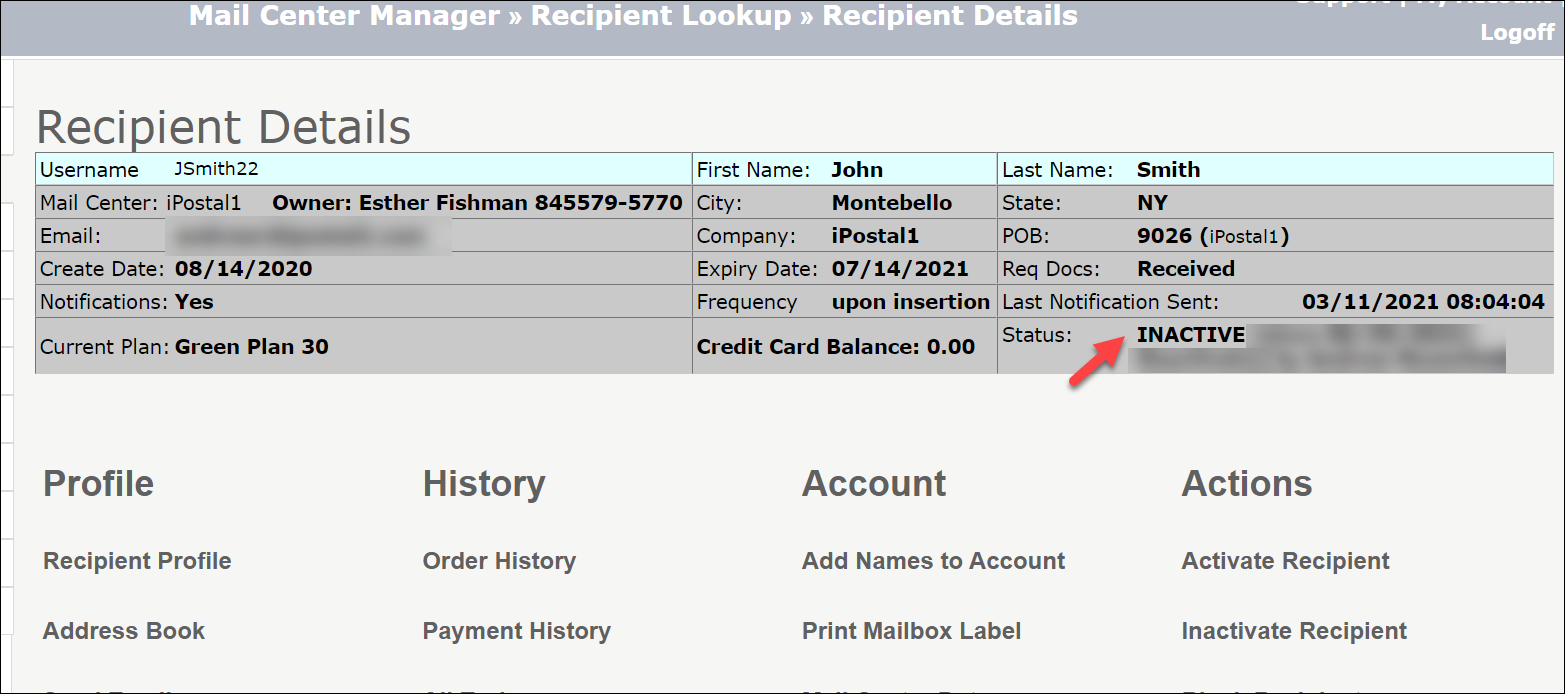
- When a recipient cancels an account, their account shows the status: "INACTIVE".
You can still search for these recipient in Recipient Admin for 90 days: