
If a customer is physically present at your location, has a pending application or has started the online signup process, and has brought all the required documents for upload (two forms of acceptable IDs, one of which must be a photo ID), you can notarize these documents or sign as the notary.
The customer must sign USPS Form 1583 in your presence.
You (as the Commercial Mail Receiving Agency, or CMRA) can act as the authorized witness.
You will be required to upload to the USPS Business Customer Gateway and maintain the account.
🎯 Approve Required Documents for Walk-In customers page
Approving documents for customers:
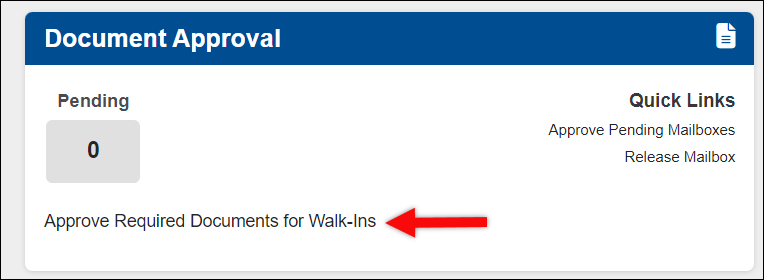
1. Locate the "Document Approval box" in your dashboard.
- Click "Approve Required Documents for Walk-Ins".
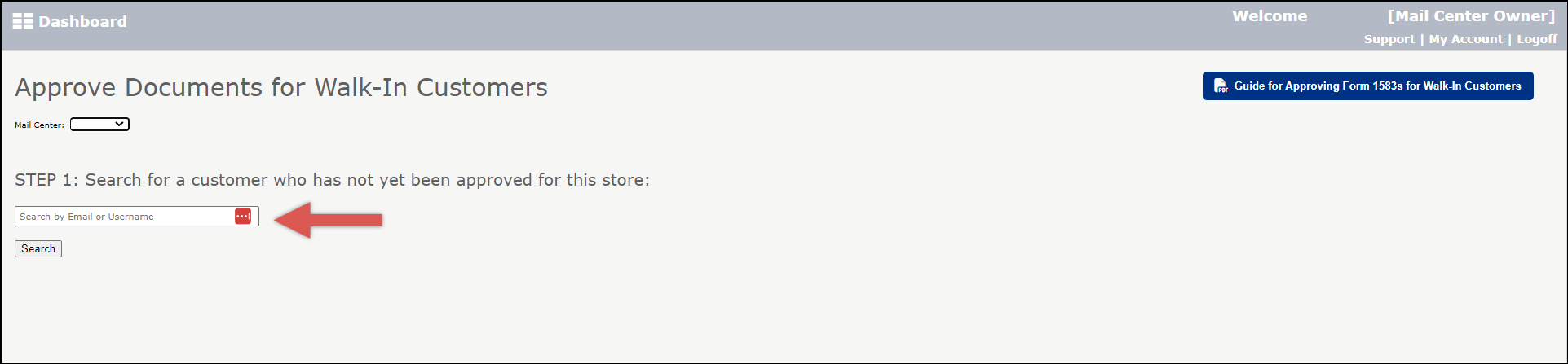
2. Search for Customer by Email or Username.
- If you do not have the customers username available or if the customer doesn't remember, please contact our support team for assistance.
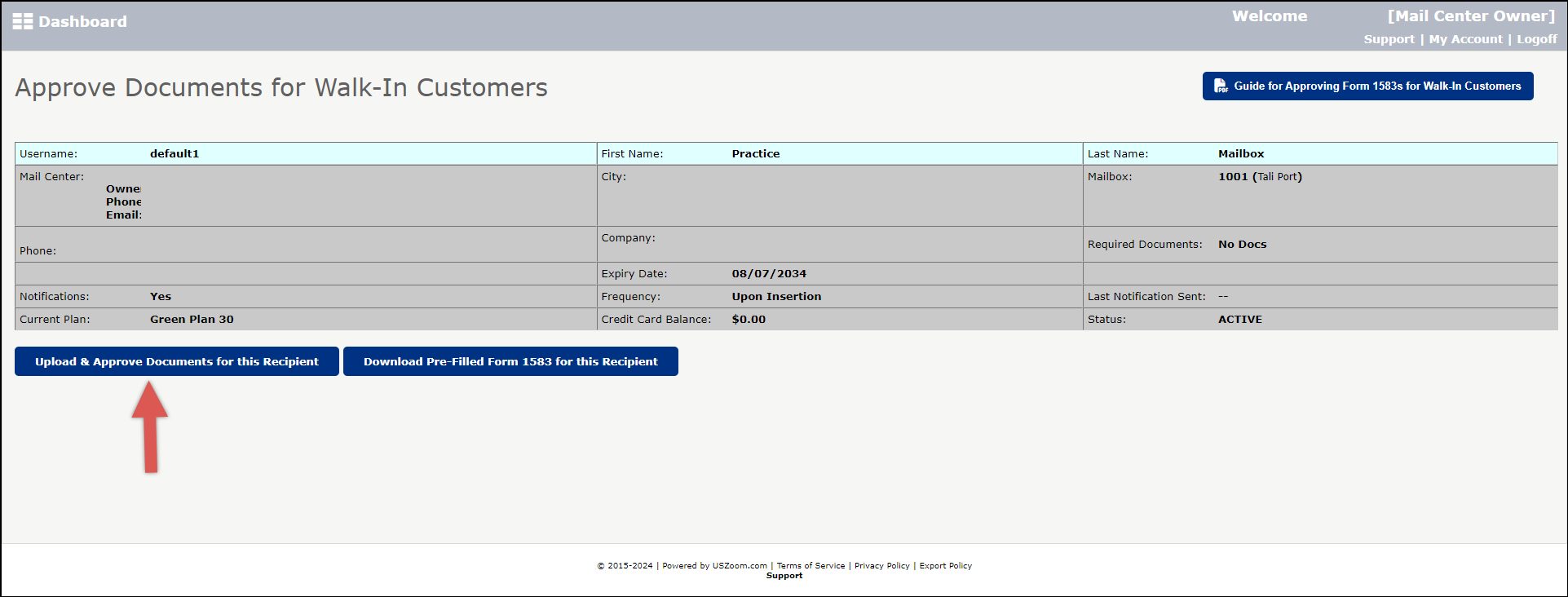
3. Select "Download Pre-filled form 1583 for this recipient" and click"Print".
4. Check ID.
- At least one ID must be a Primary ID with photo.
- The second ID may be a non-photo Secondary ID.
- Name and address on ID must match name and address of applicant.
- Enter description of ID’s on the form 1583 (example: NY Drivers license).
- If minor names are entered, additional names must be added to "Recipient Profile".
5. Get the customers signature and sign as an agent.
- You as the agent to sign in Box 14.
- Applicant to sign in Box 13.
6. Scan the completed form 1583 and ID’s into your computer.
- On page displaying the customer’s information click "Upload and Approve Documents for this Recipient".
7. Find and Upload the Form 1583 and IDs.

8. Click "Approve Docs". Click "Ok".
- To Print a label for the customer’s mailbox, click "Print Form 1583".
- Print 2 copies of the Form 1583.
- Upload to the USPS Business Customer Gateway.

Note:
- iPostal1 no longer accepts a local notary signature for USPS Form 1583. If the customer already submitted a form that was notarized at a local notary it will not be accepted.
- The customer must notarize via proof.com or the customer must be physically at your mail center and sign a new form 1583. You can then sign the form as the witness and upload along with 2 acceptable IDs.
- You can view the documents that were already uploaded or upload a new form 1583 and approve the account.