
You can view and print a customer's documents directly from your dashboard. If you need copies of a recipients IDs or approved the account without printing, you can return to view and print them.
Step 1. Click "Recipient Lookup" located in the "Recipient Admin" tile on the Dashboard.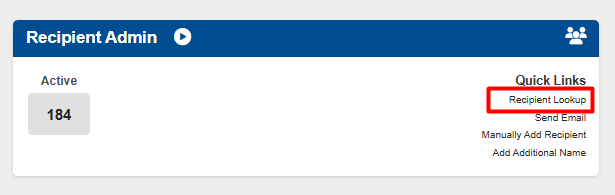
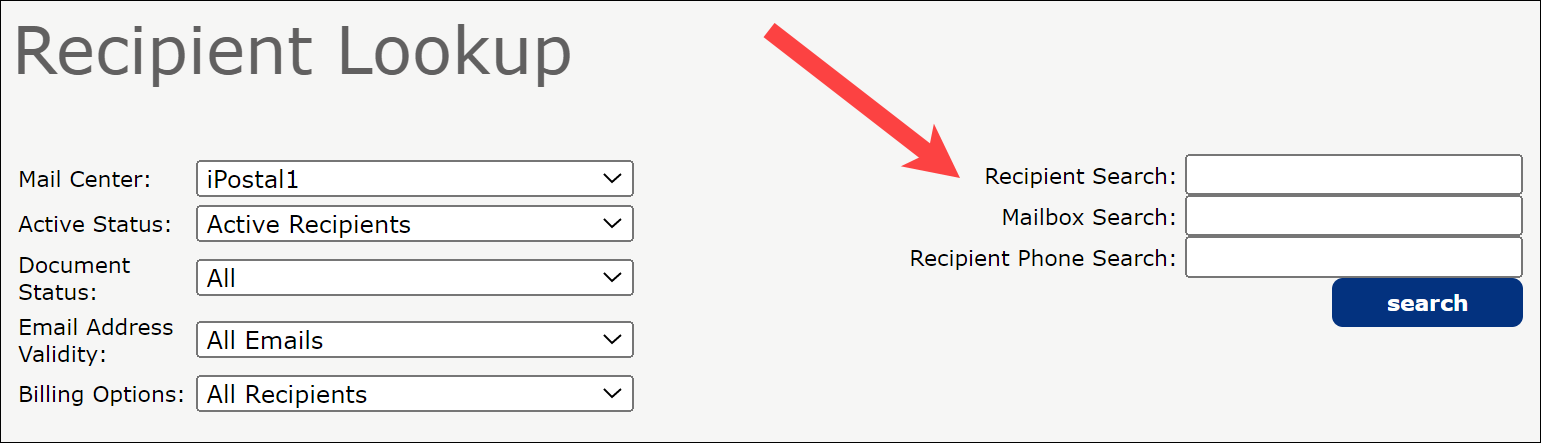
Step 2. Enter the recipient's name or mailbox number to find the customer. Click "Search".
Step 3. Click on the customer and then select "Download Recipient Required Docs".

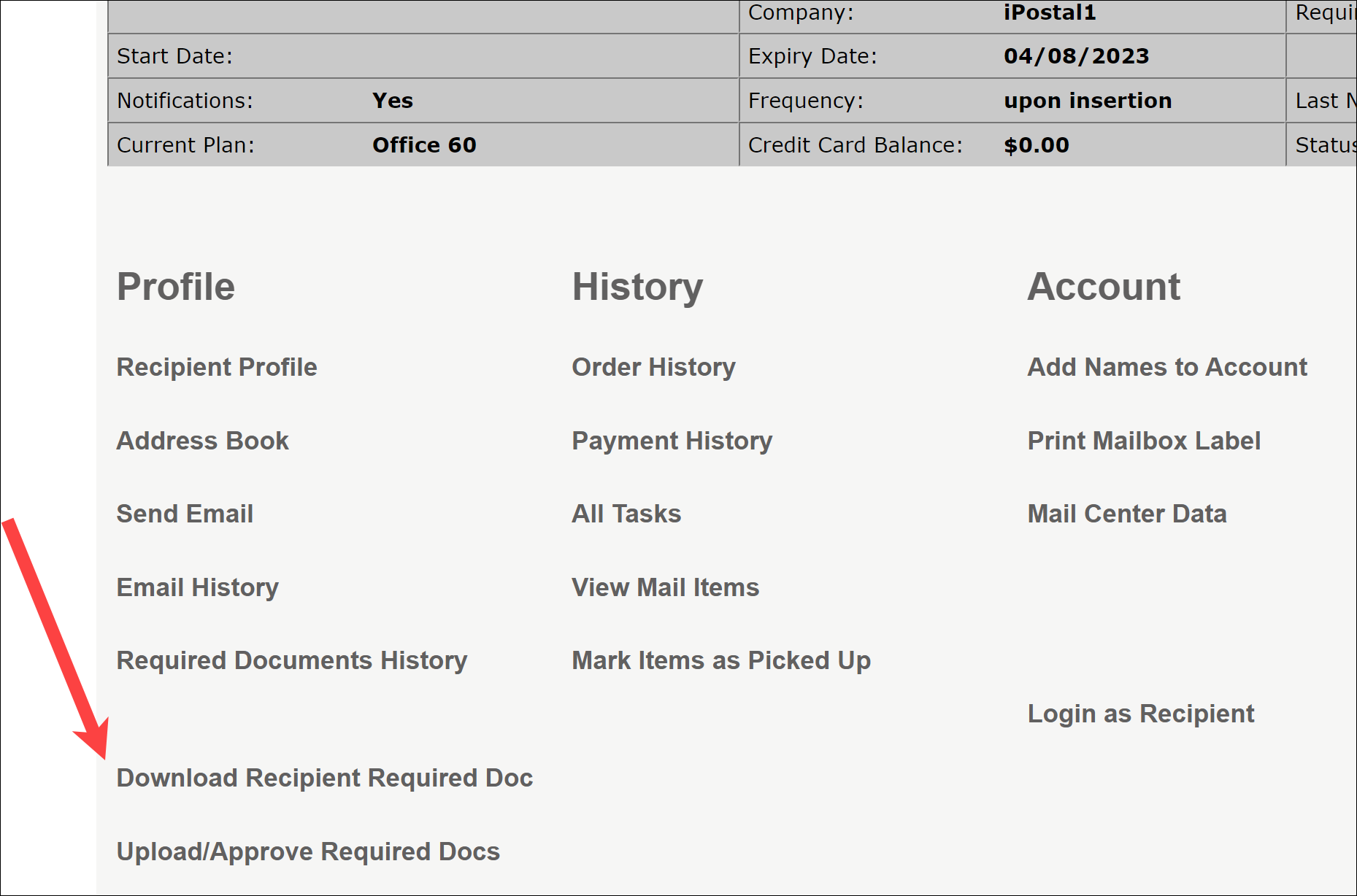
Step 4. Once downloaded you can print the form and ID's.