
How to verify if a recipient paid for their monthly subscription or for a task you processed:
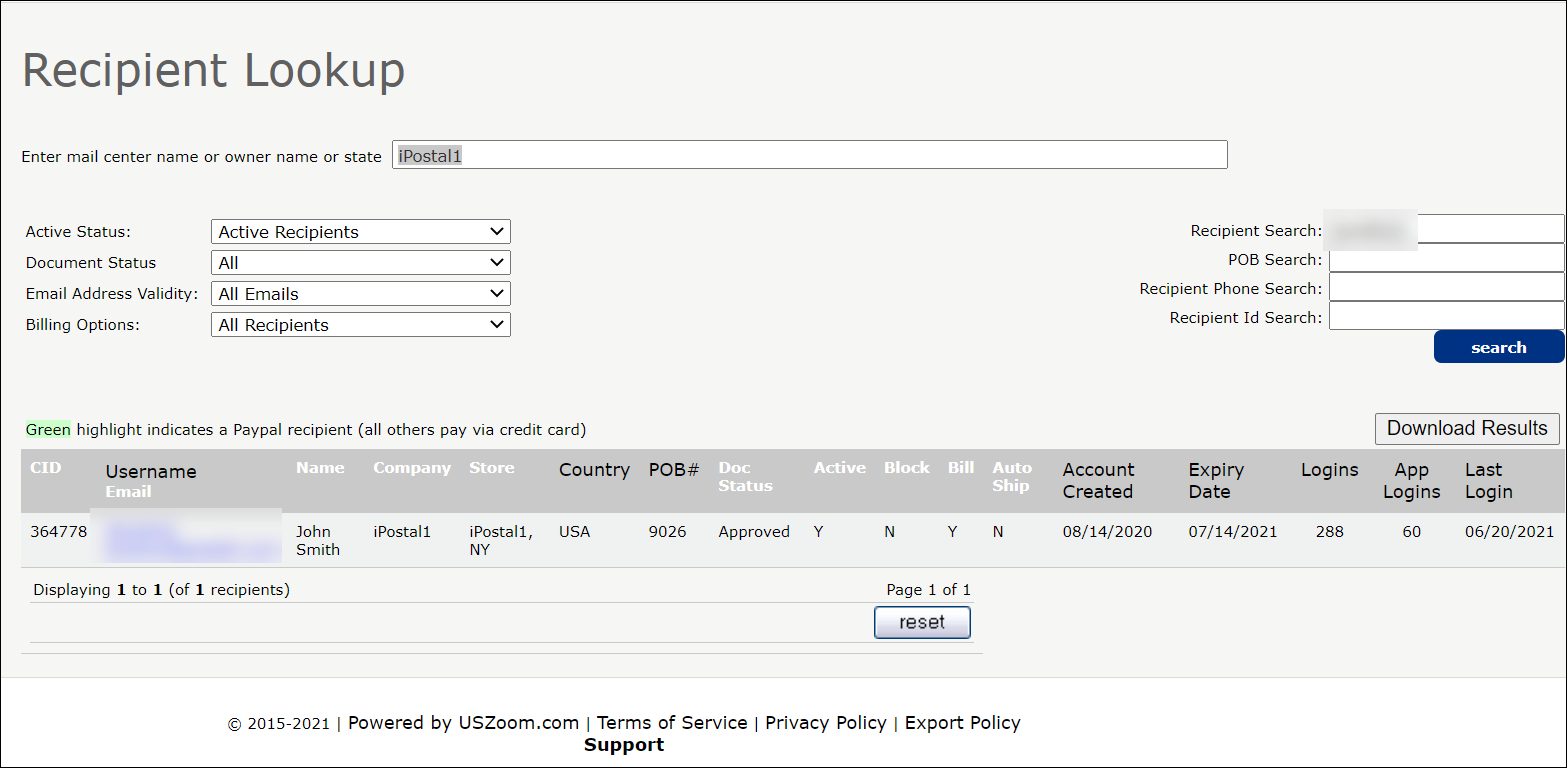
1. Locate the "Recipient Admin" tile in your Dashboard, search for the recipient under "Recipient lookup" and click into their account.
- On the "Recipients Details page", click on the "Payment History" button.
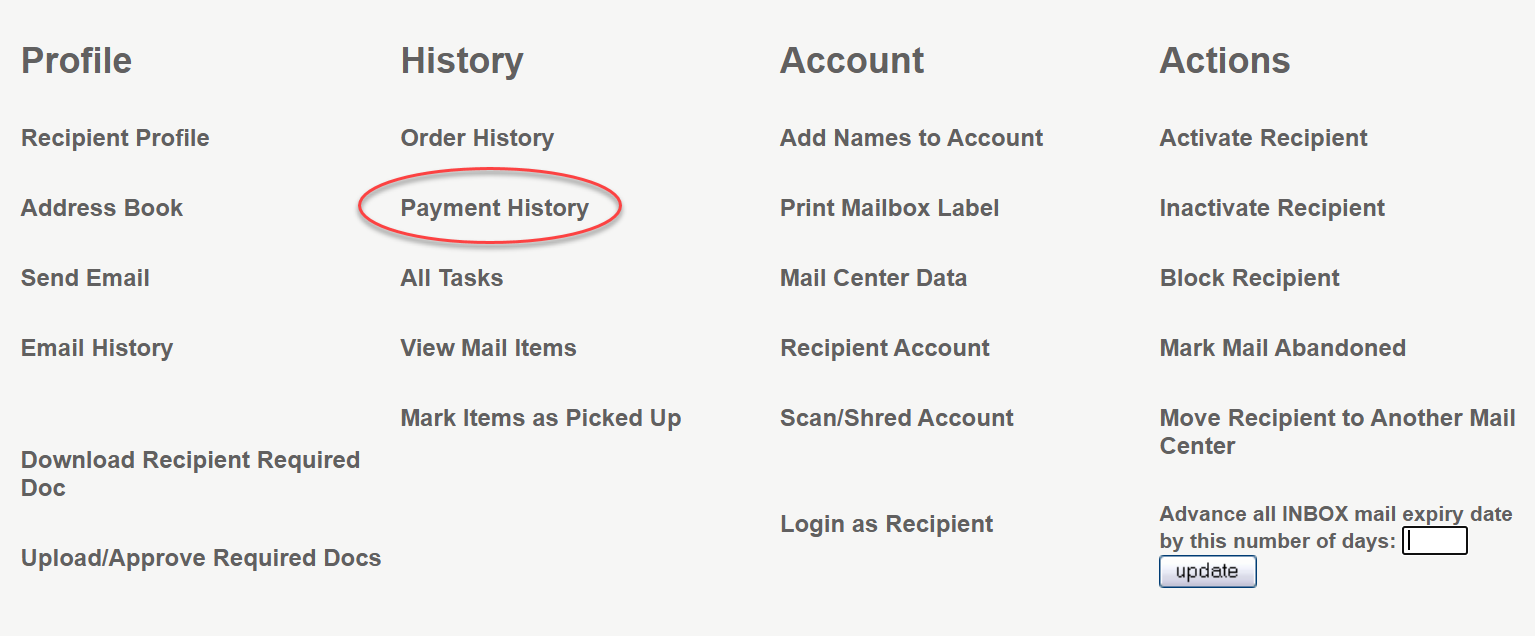
2. Check the service column to see if there was a charge for monthly or yearly payment (or the latest task you processed).

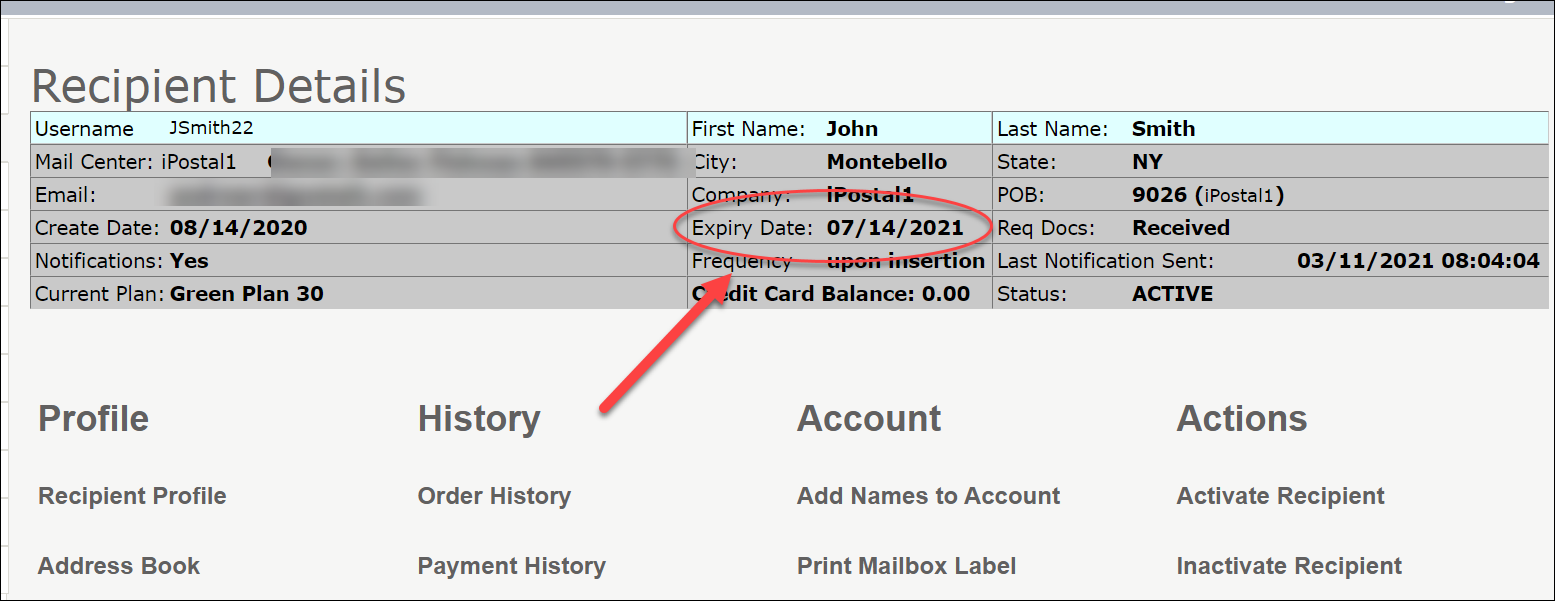
- Additionally, you can look at the Expiry Date in the "Recipient Details" to see when the next subscription payment is due.
- You also have a running report available showing each transaction by date under the "Payments" tile. Click on "Credits/ Debits". This is only visible when signed in as an owner.
