
To notify us of a customer with incomplete documents:
1. Navigate to the "Document Approval" tile and click on "Approve Pending Mailboxes".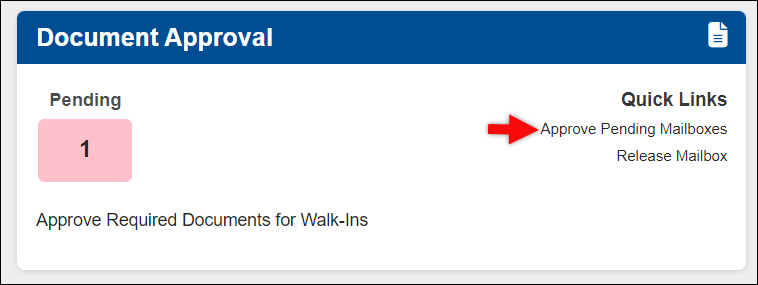
2. Locate the recipient name and click on the return arrow. This will send the recipient back to our form 1583 team.
3. You will be prompted to enter a message to our review team, write a detailed account of what is missing. We will reach out to the recipient and have them update their documents.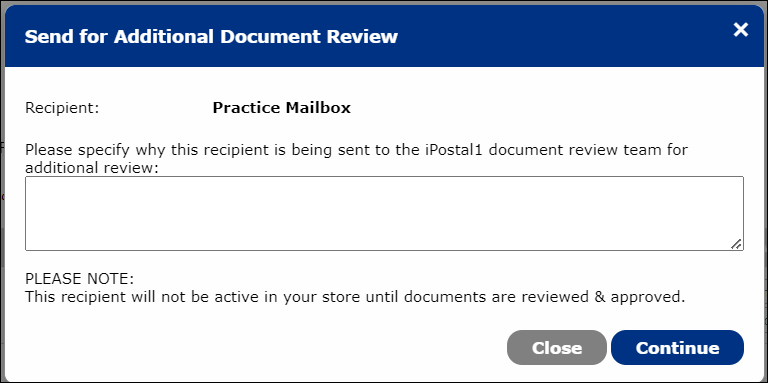
Note: To contact the customer yourself, click send email insted.