
Recipients have two options to ship their mail items. As they create the request, they are shown the shipping options available.
The customer can choose to ship one mail item at a time by selecting "Create a Shipment".
or
They can choose to ship multiple mail items at once by choosing "Consolidate and Ship".
Recipient's shipping options: 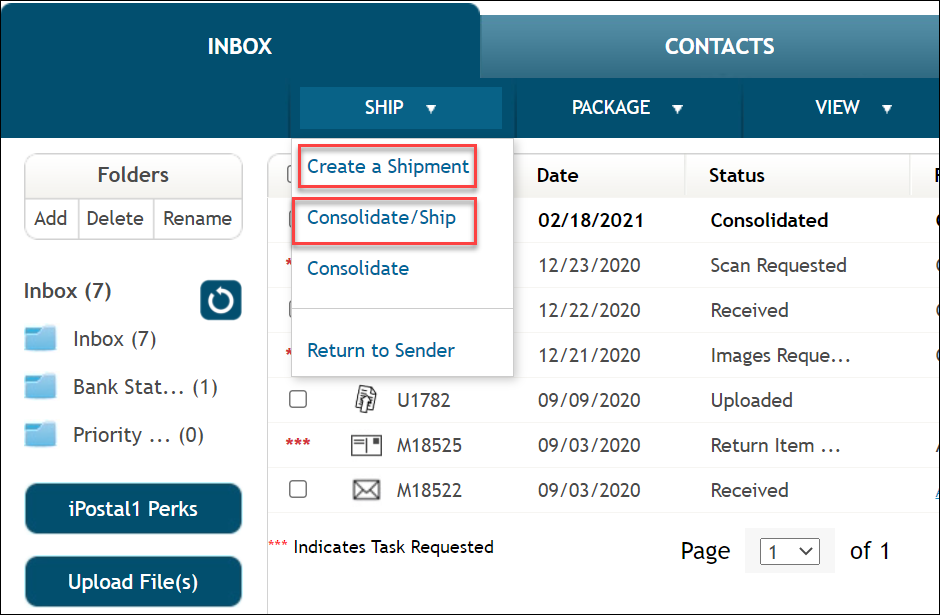
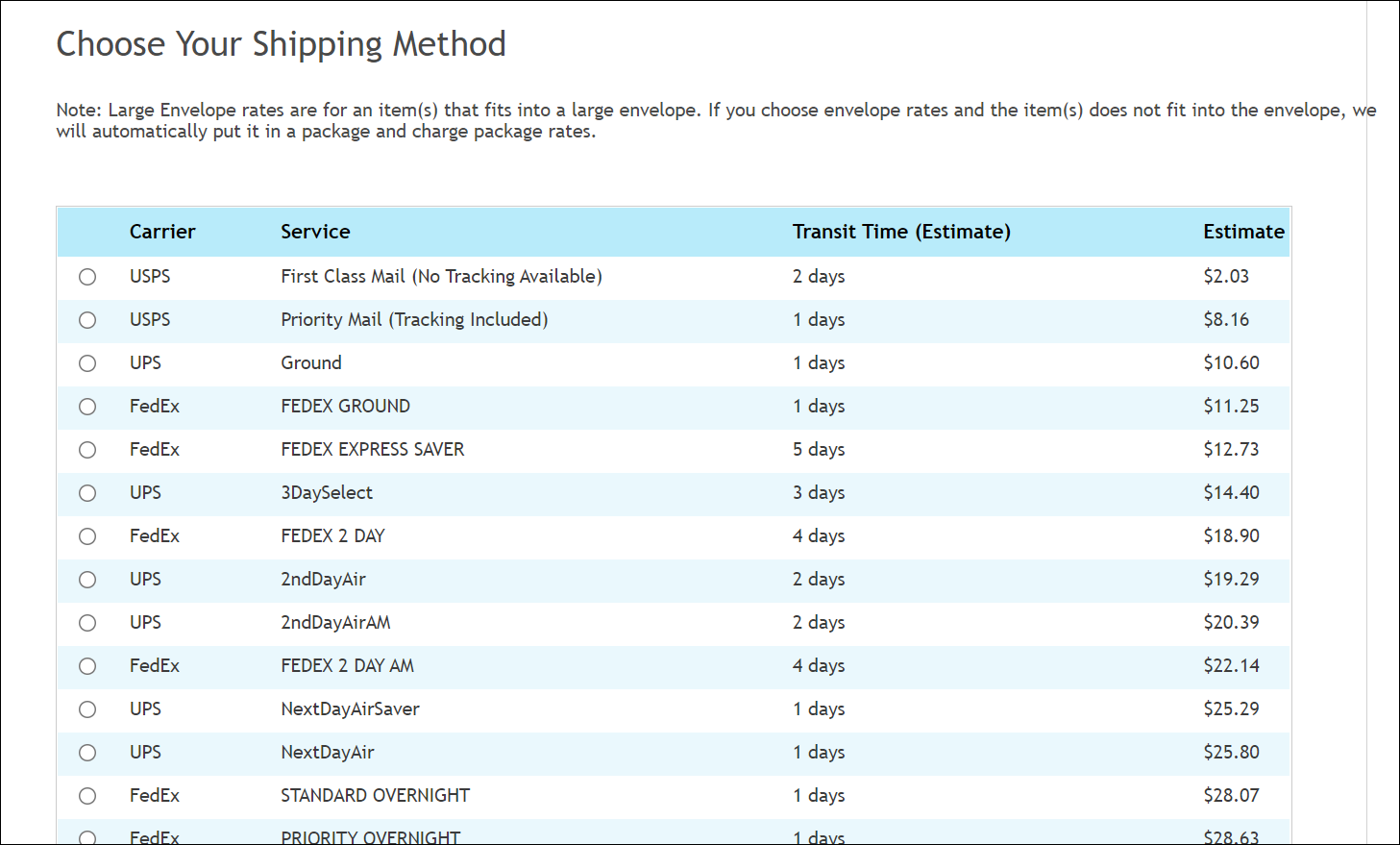
"Create a Shipment"- Customers see Specific Dollar Amount Quotes to ship the mail item. This is because there are clear weight and dimensions for the single package/letter. The customer will choose a shipping method, speed and price.
- Shipping carrier include USPS, UPS, FedEx and DHL. The available carriers varies by the customers destination address and by the carriers that are pre selected in your settings.
"Consolidate and Ship"- These requests have General Shipping Options with no price or N/A, as the weight of the package isn't clear in the system until you combine the packages and weigh them. Customers will see this note when choosing a shipping method. To view a price before shipping, the customer must choose a consolidation task first, instead of consolidate and ship.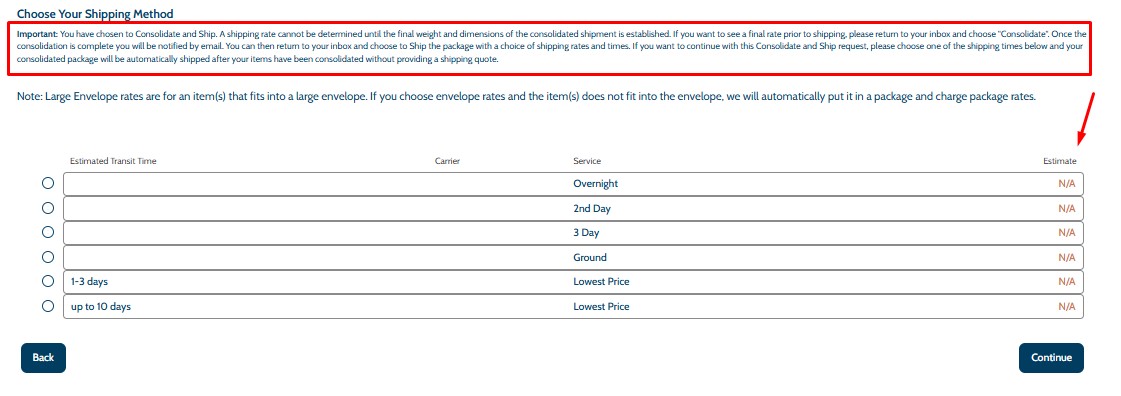
Additional Shipping Options:
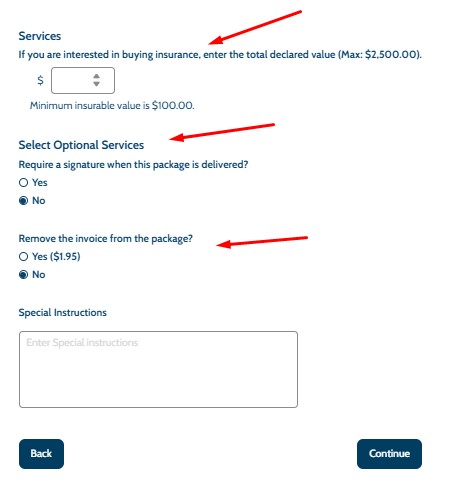
Shipping Insurance- iPostal1 shipping insurance is offered if the customer is shipping their mail within the domestic U.S. or internationally, the maximum insurance value the customer can purchase is $2,500 per package. The customer will be charged $4.00 for each $100 of insurance requested.
Require Signature- The customer has the option to require a signature when the mail item is delivered by the carrier, you do not have to do anything extra if the customers selects this.
Remove the Invoice- If the customer selects this option, you can open the mail item, remove the receipt/invoice and re seal the package.
Special Instructions- Some customer may enter a special instruction in the space provided. If you may have a question or need clarification on this instruction, please contact the customer directly.
Once the task is submitted by the customer:
- An automatic notification will be sent via email and the shipping request will be in your "To Do" List to process. You will see what shipping preferences the recipient choose on the first page of the task.
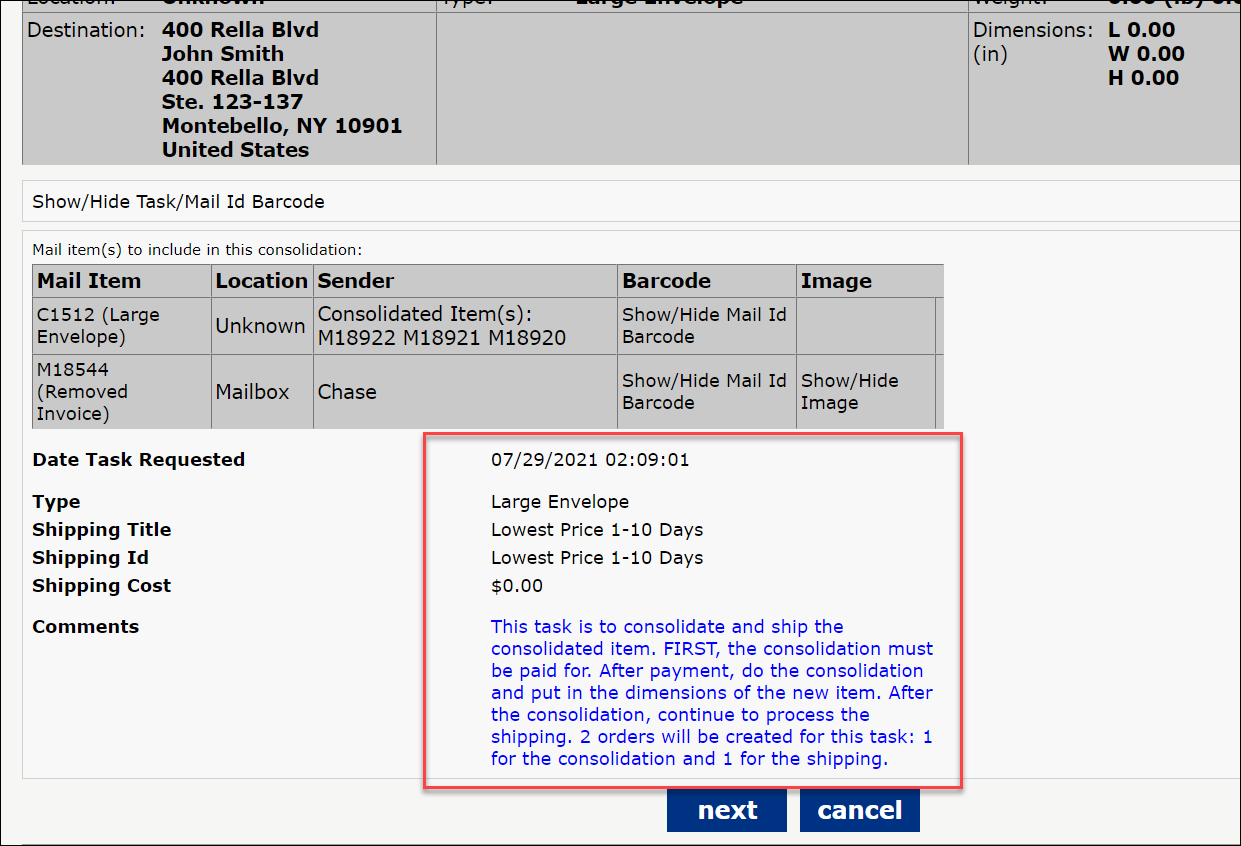
- It's important to follow the included recipient's instructions for a shipment. If there is a need to change the pricing or shipping option, it is worth the time to reach out to a recipient for clarification before the item is sent. Please contact the customer via the Dashboard email feature or with a phone call. If the customer reaches out to you to make a change, please inform the customer to create a new task including their new request.
Note: We do not allow customers to user their own shipping label to ship their mail items.