
You can request a refund for services such as shipping, pick up and storage. Scans and scan bundles are not refundable. If you are looking to provide 1 free month or refund a monthly subscription, please contact support for assistance. If you are adding an additional fee, the customer must be notified before hand. Please use the Admin Portal email feature to notify the customer.
To request a refund or add an additional fee:
1. Login to your dashboard, scroll down to the "Support" tile and click on the "Support Page / Contact Us" button located under the Support heading or Click on "Request a Refund".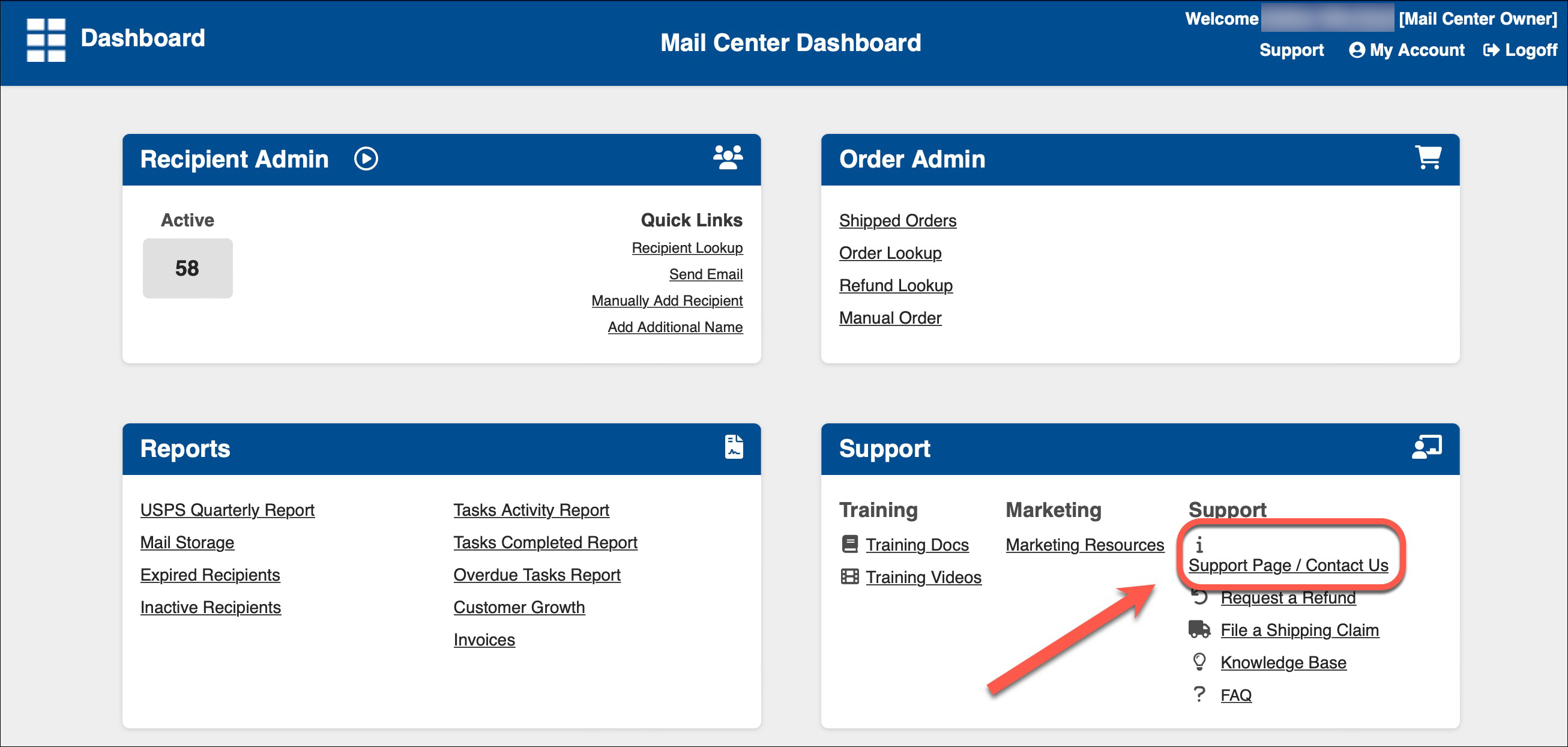
- You can also access the Support Center by clicking on the SUPPORT button in the top right corner of your Dashboard screen.
2. Scroll down and click on the "Request a Refund / Additional Charge" button located on the lower right side of the iPostal1 Support page. 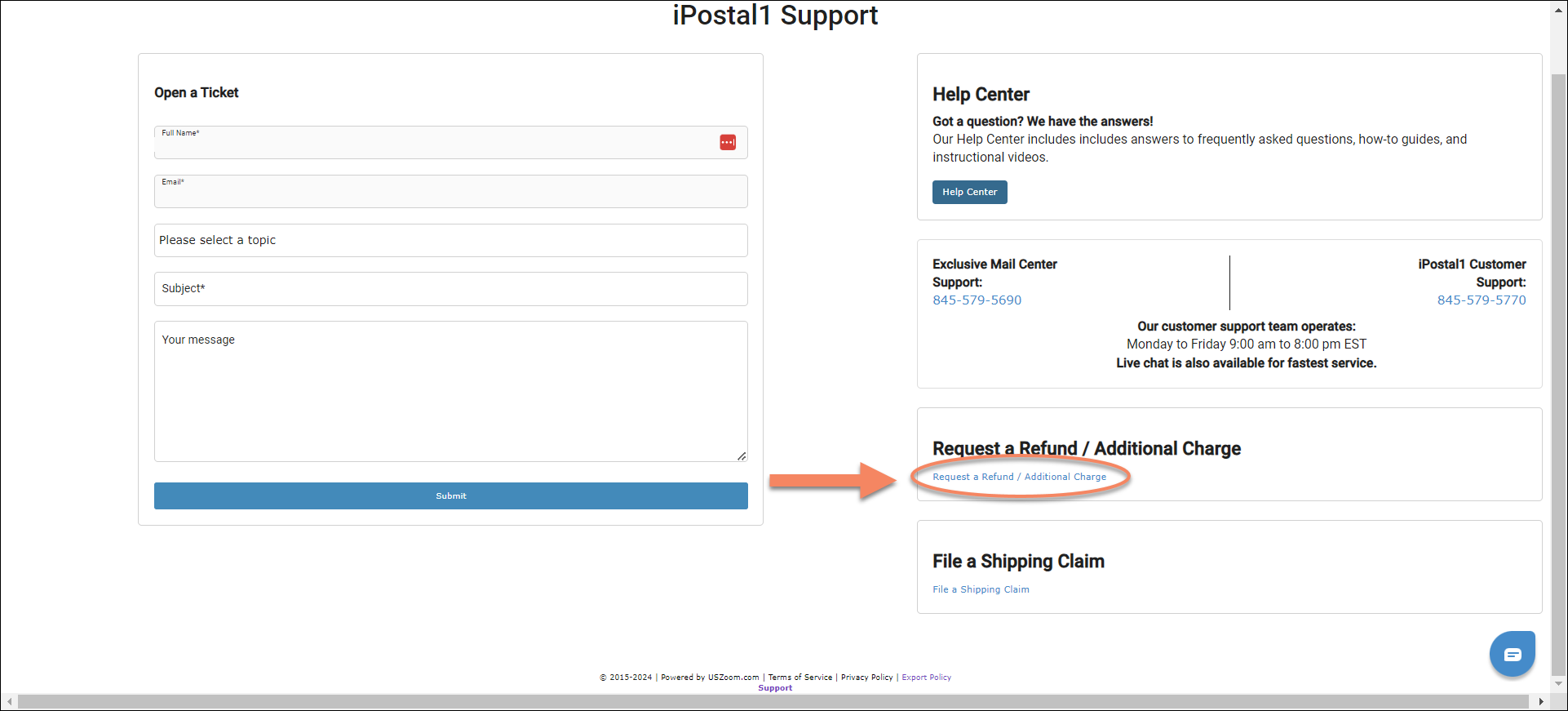
3. Locate and click on the designated recipient. 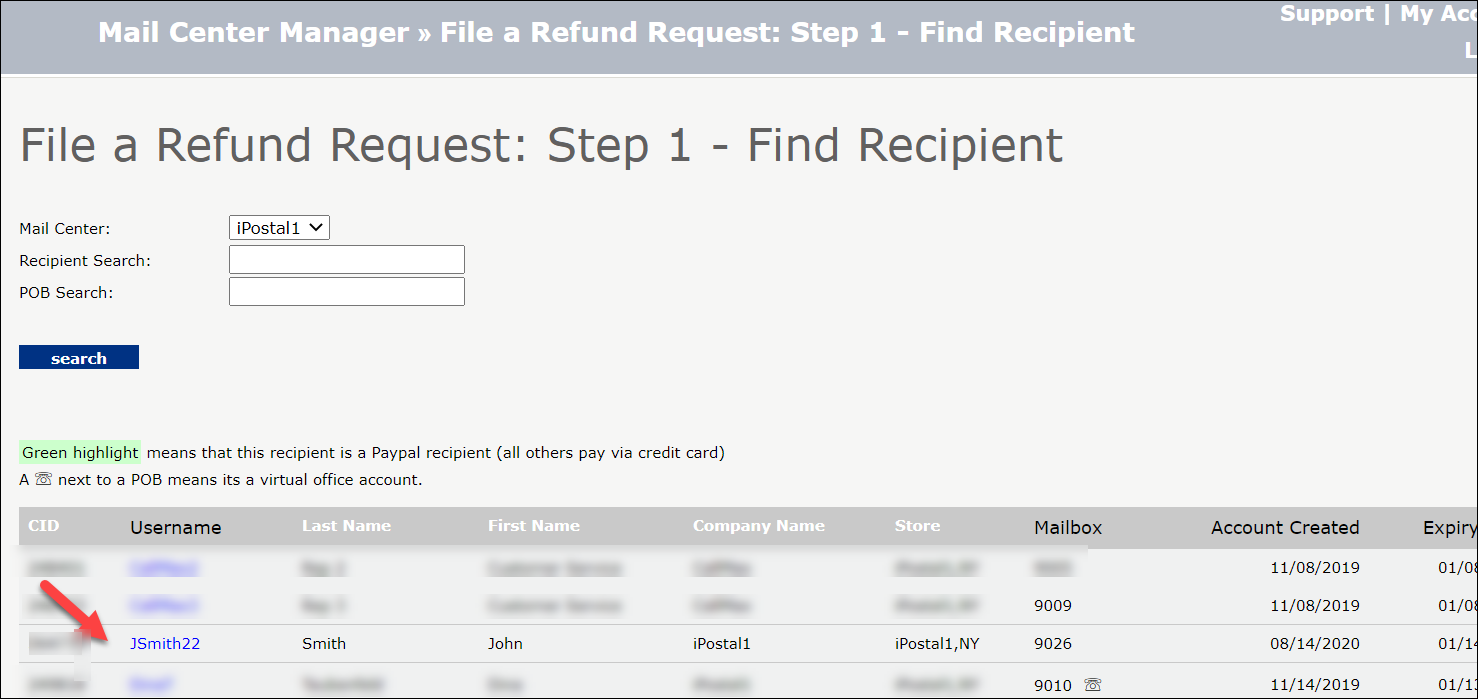
4. Locate the designated order and click on "File Refund Request" on the right side of your screen. 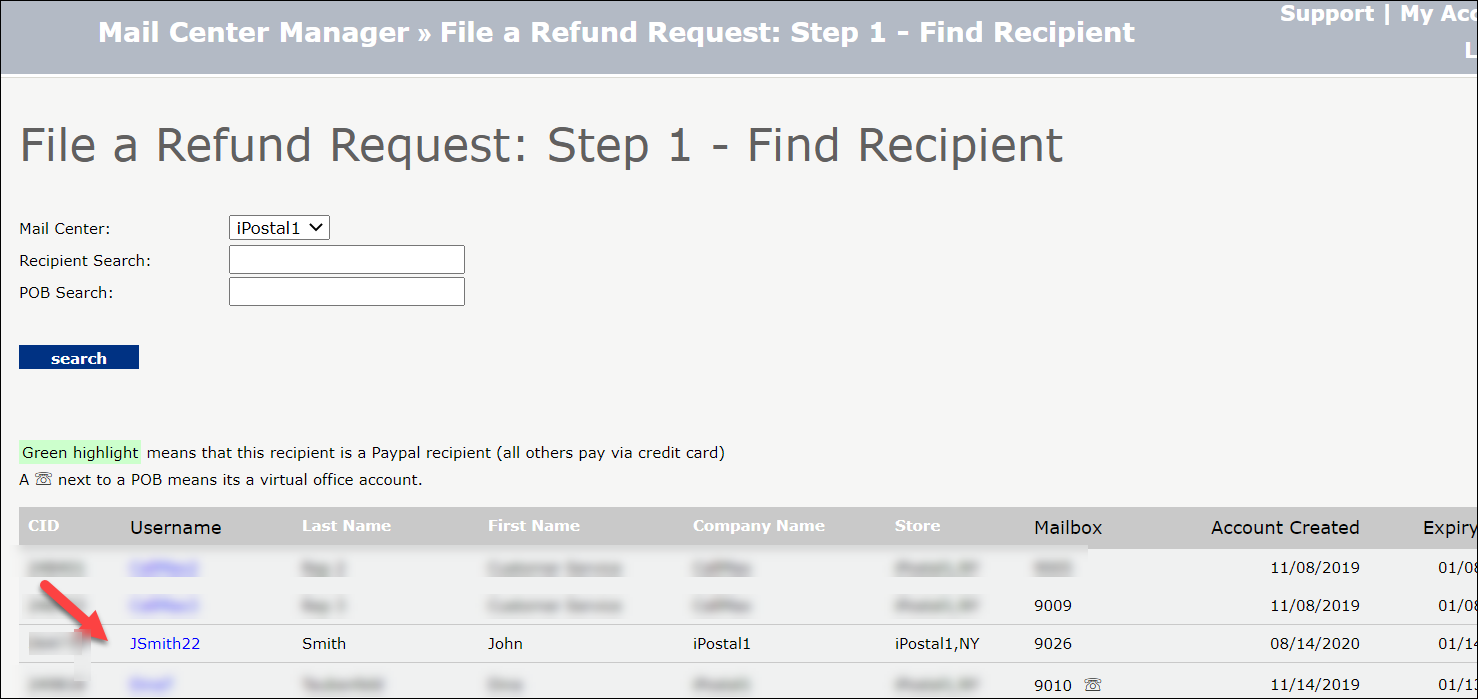
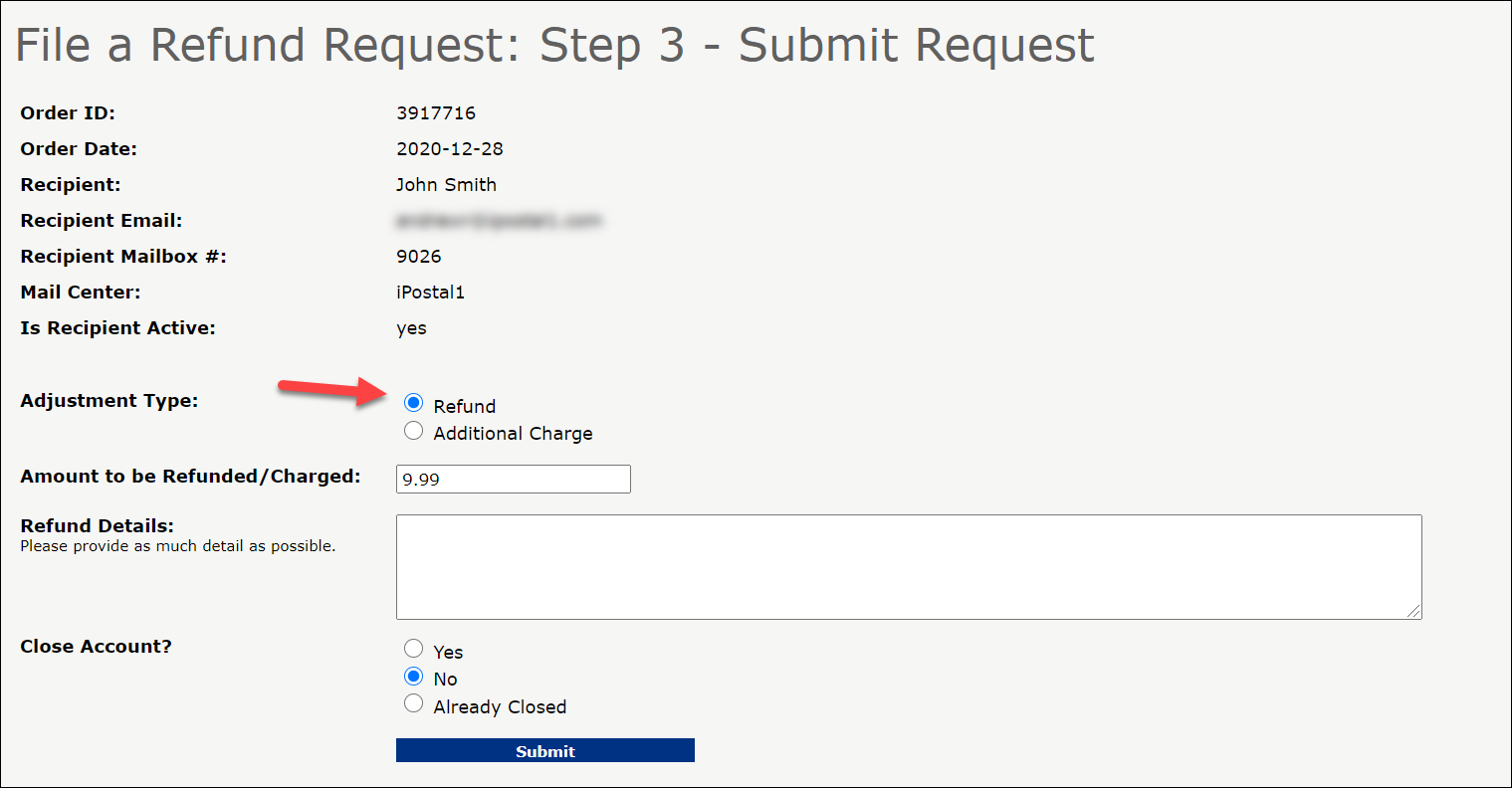
5. Make sure the Adjustment type is set to "Refund" if you are requesting a refund.
- If you are requesting an additional charge, select "Additional Charge". Please be sure to notify the customer via the admin portal email, when any additional charge is made to an order.
- If this additional charge is for another order or service, please contact support for assistance.
6. Enter the Amount to be Refunded/Charged in the blank field, provide information as to why you are making the request in the Refund Details box, and select whether to close the account after your request is submitted. 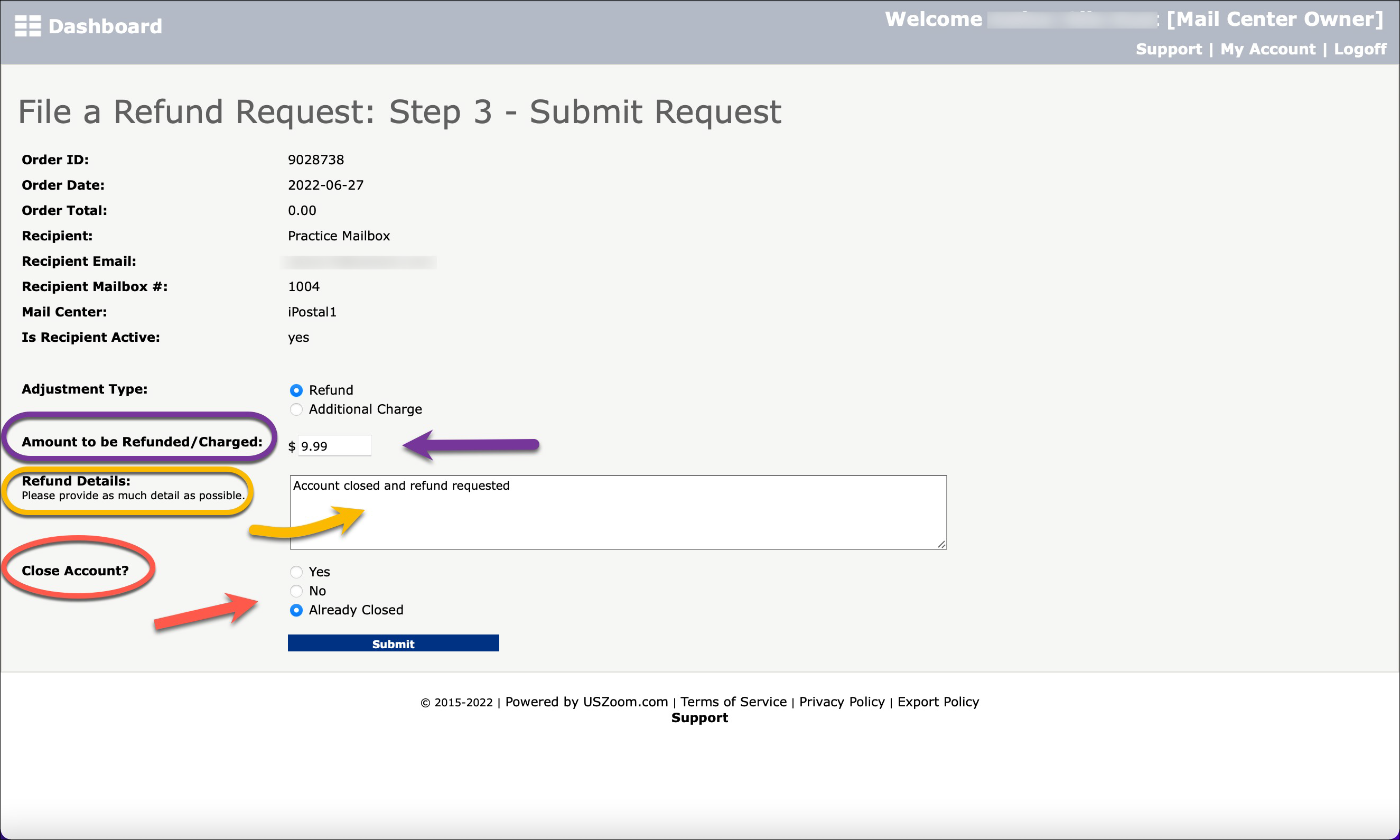
7. Click on "Submit" to complete the process. The refund request will be sent to our billing team to process. Refunds are processed within 3-5 business days. 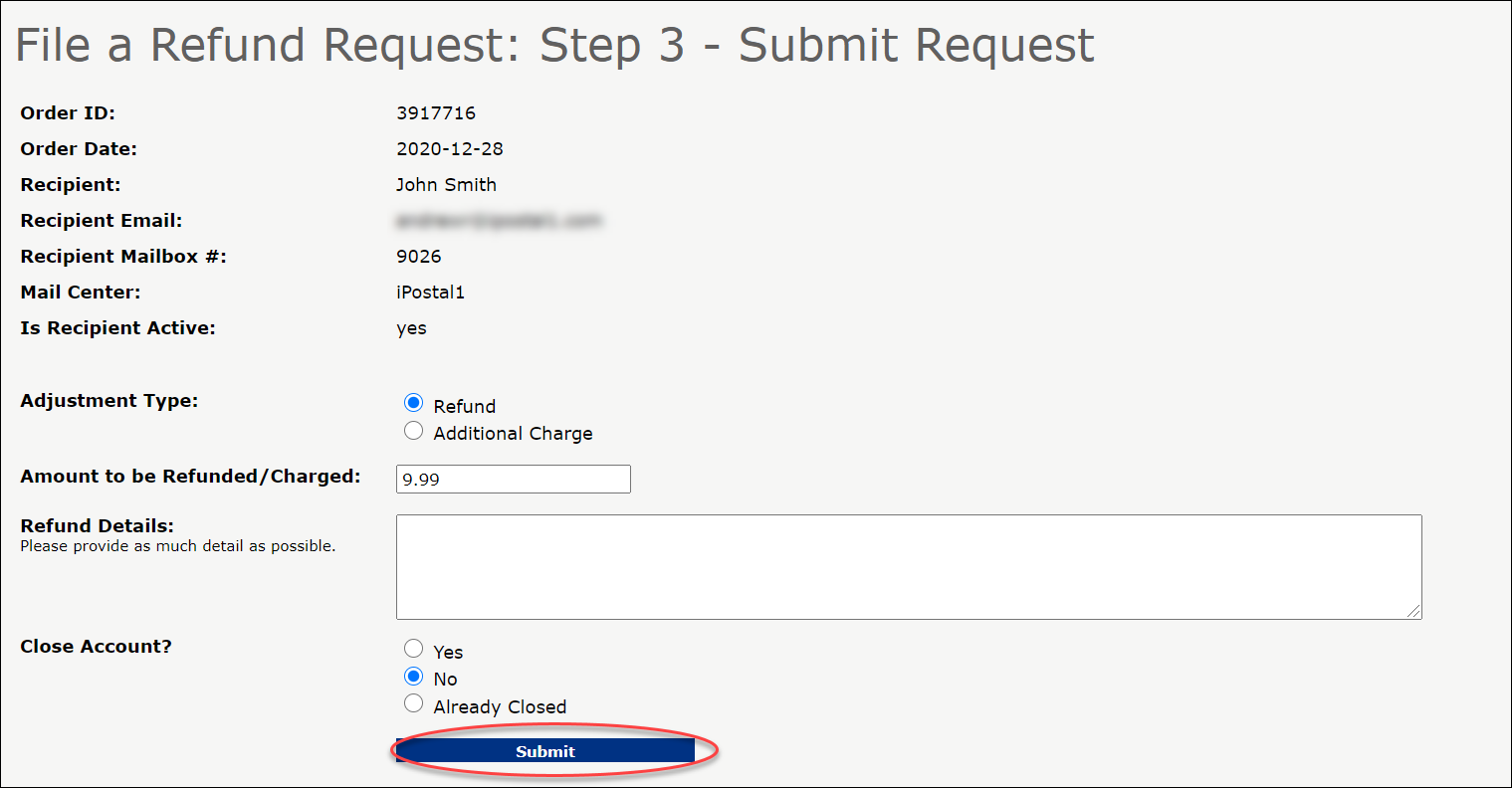
- To learn how to add an additional charge before after task is processed, Click Here.