
Please visit the Support Page on the Admin Portal and submit a request for a refund or additional fee adjustment.
1. Locate "Request a Refund/ Additional Charged" in the "Support Page" or "Support" tile. 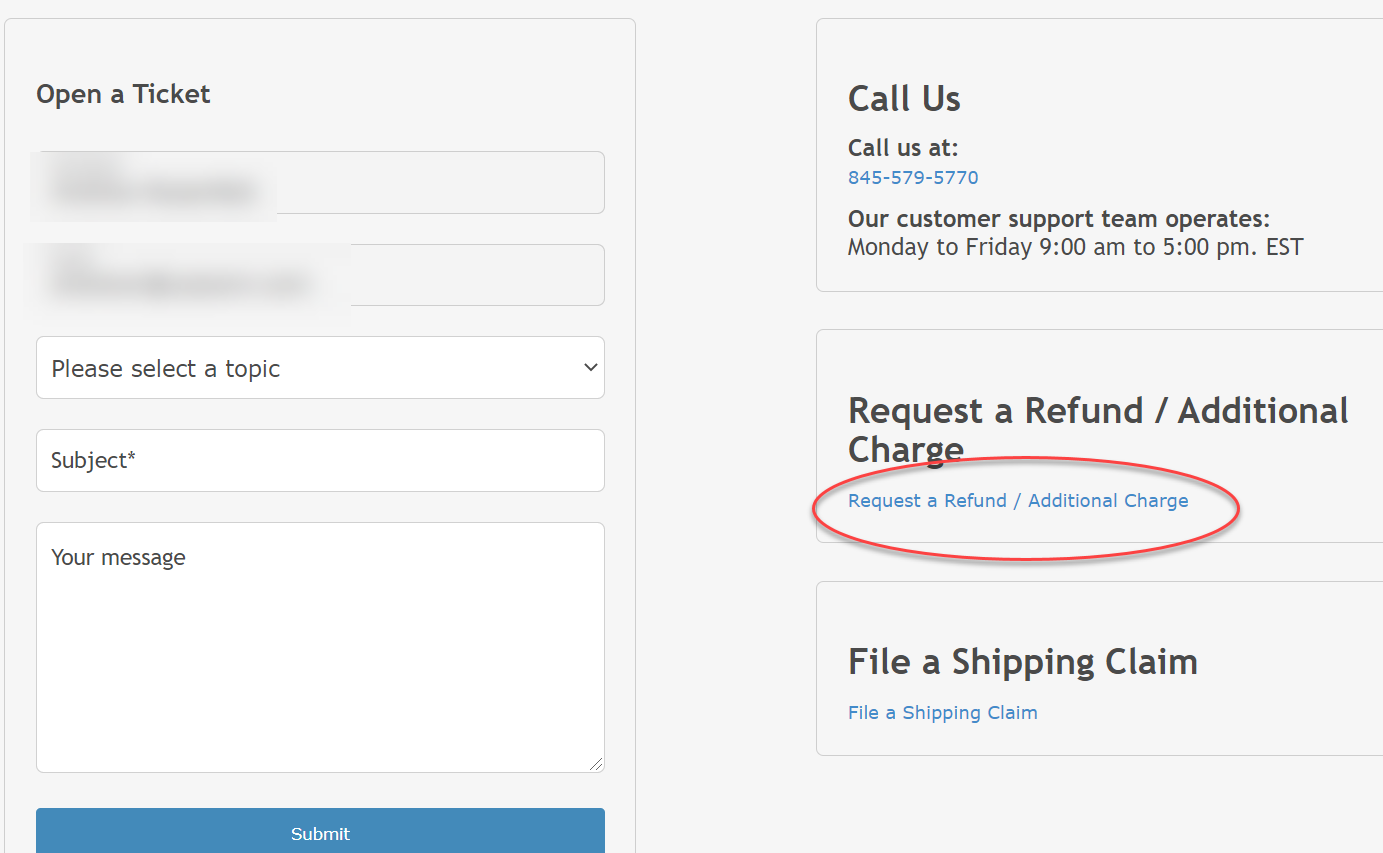
2. Search Recipient and Click on the Account. 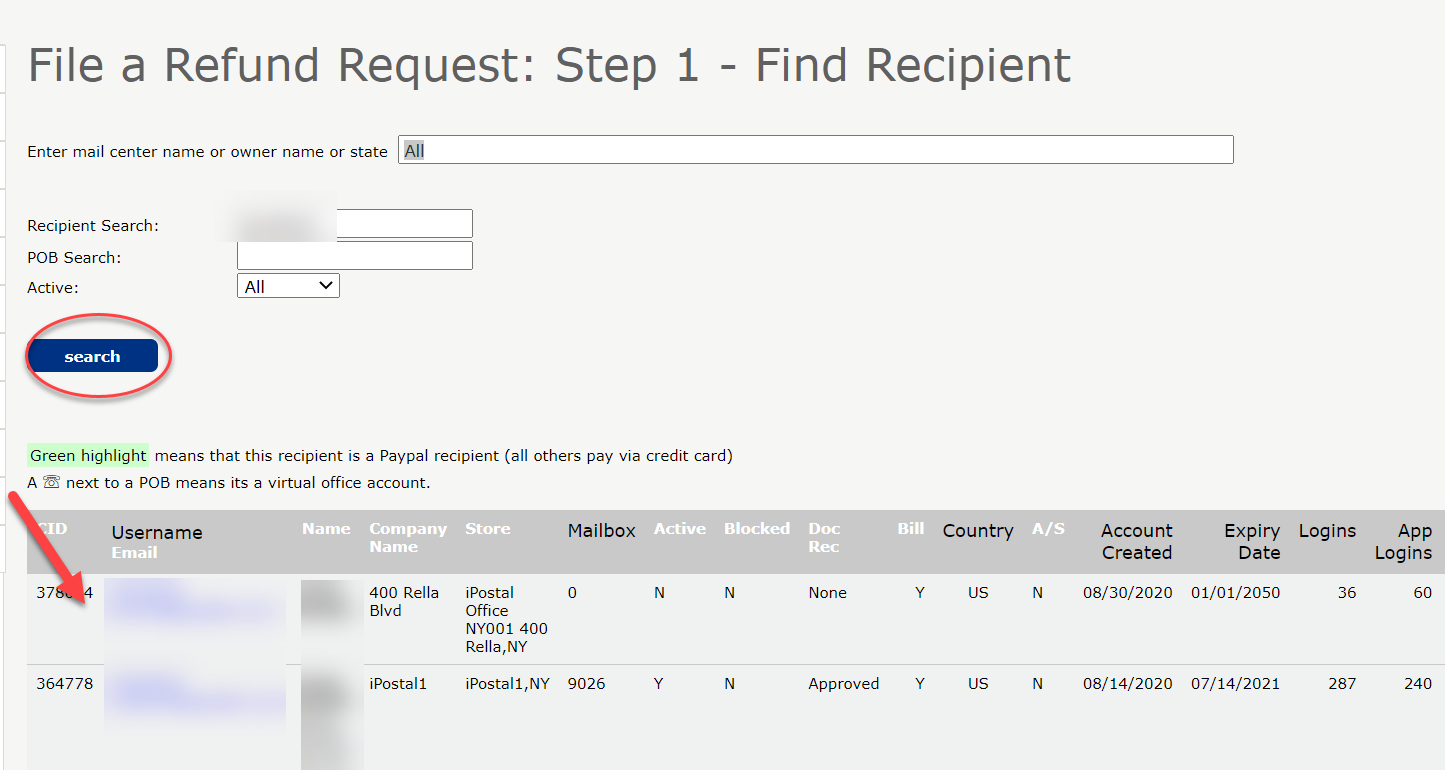
3. Find payment and Click on "File a Refund Request".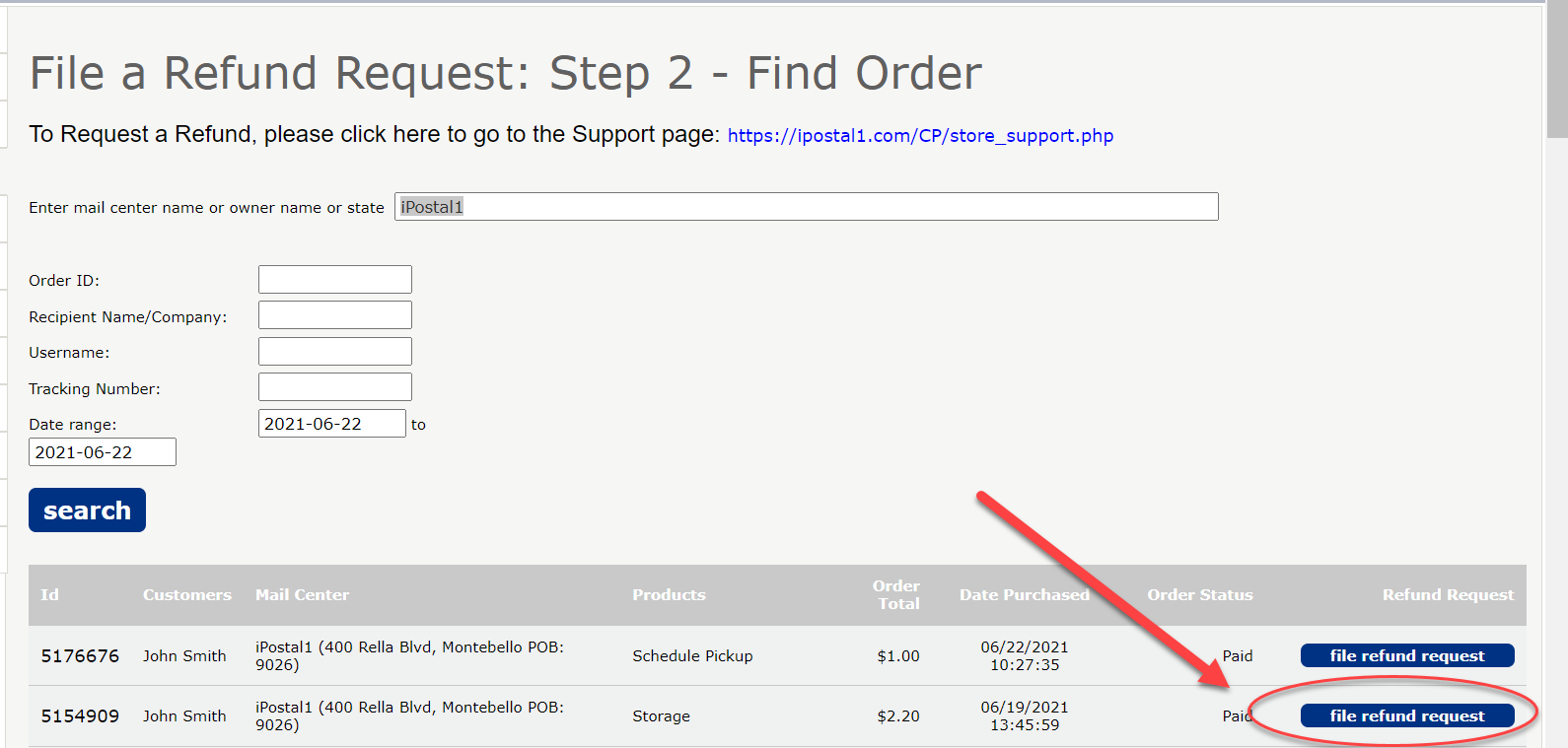
4. Select "Refund", enter the amount to be Refunded, and detail as to why you are requesting a refund.
5. Click "Submit". 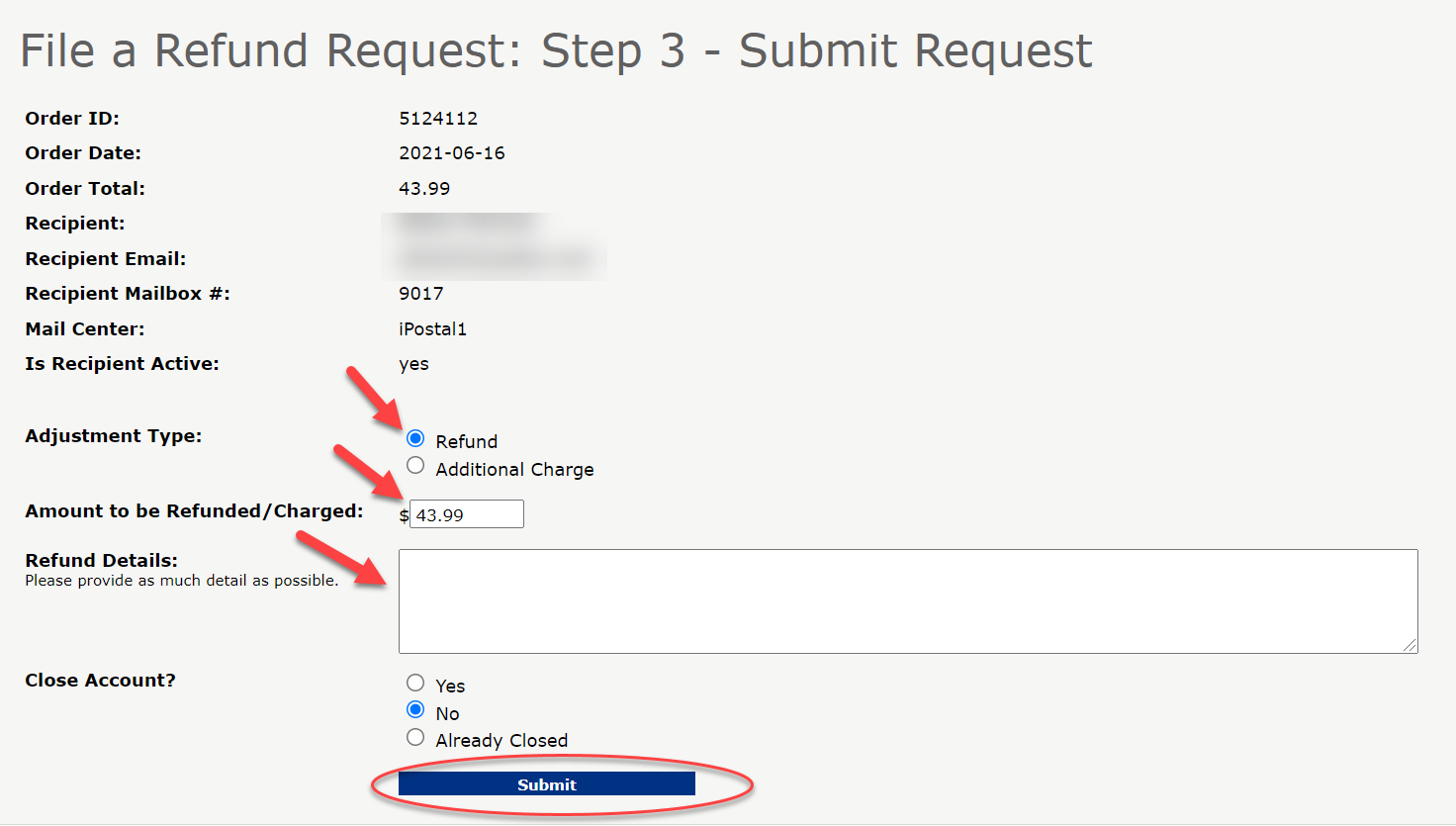
Note: Please make sure to update the items as "Picked Up" to prevent future storage fees.