
If you have completed a shipping task and need to go back to view the tracking number, please follow the steps below.
To view the tracking number:
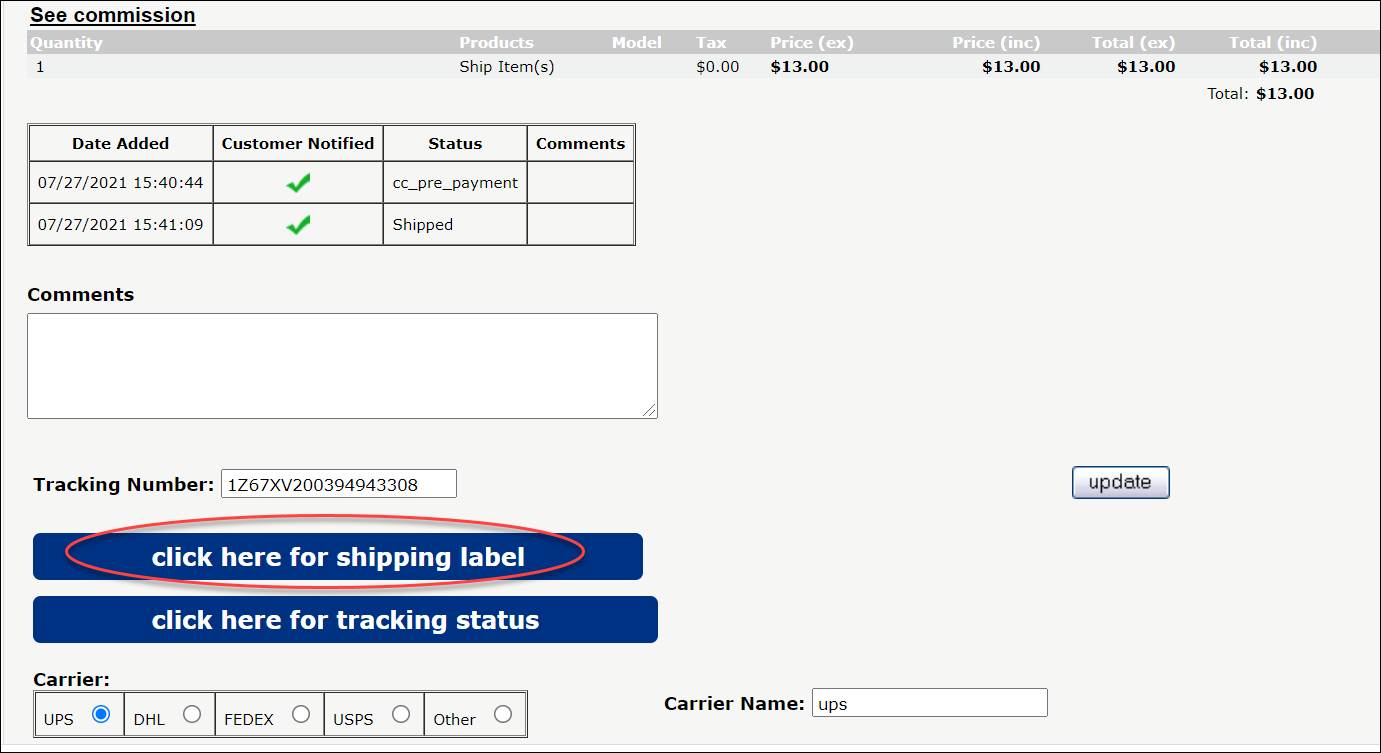
1. Go to "Order Admin" tile in the dashboard, then click on "Shipped Orders" or "Order Lookup" on the Dashboard.
2. The tracking number will display below the comments box. To view the tracking status, click "Click Here for tracking status".

If you don't know the order number:
1. Click on "Recipient Lookup" on the dashboard.
2. Search for the box in question, click on the result.
3. On the Recipient Details page, click on "All Tasks" in the History column.
4. Find the task/item in question. The tracking number will display below the comments box. To view the tracking status, click "Click Here for tracking status".
Note: If a tracking number did not generate after processing a task, verify that the shipping method is not USPS Single Letter Rate or USPS First Class Mail. Our system does not generate a label for all USPS Single Letter Rate task or USPS First Class.